
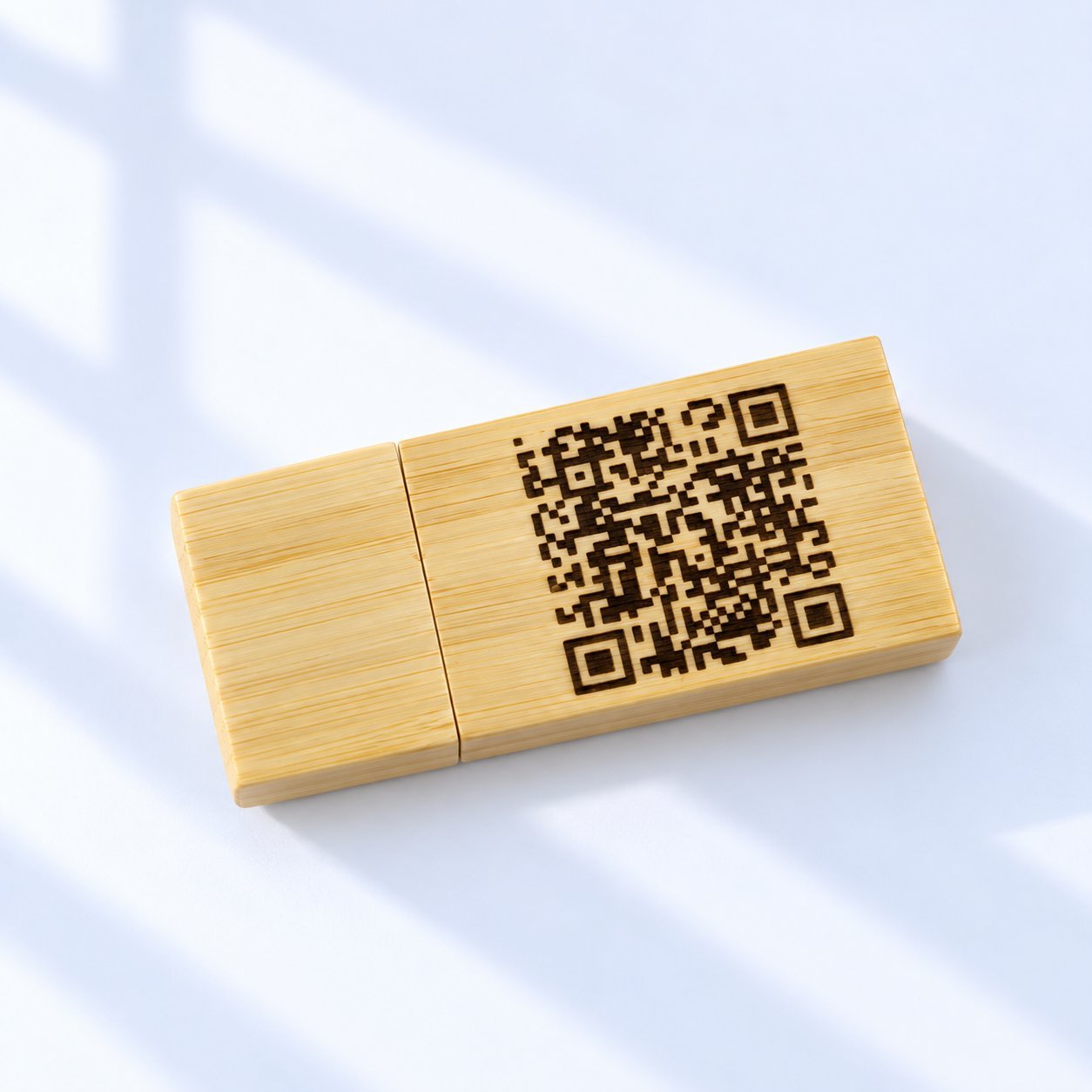
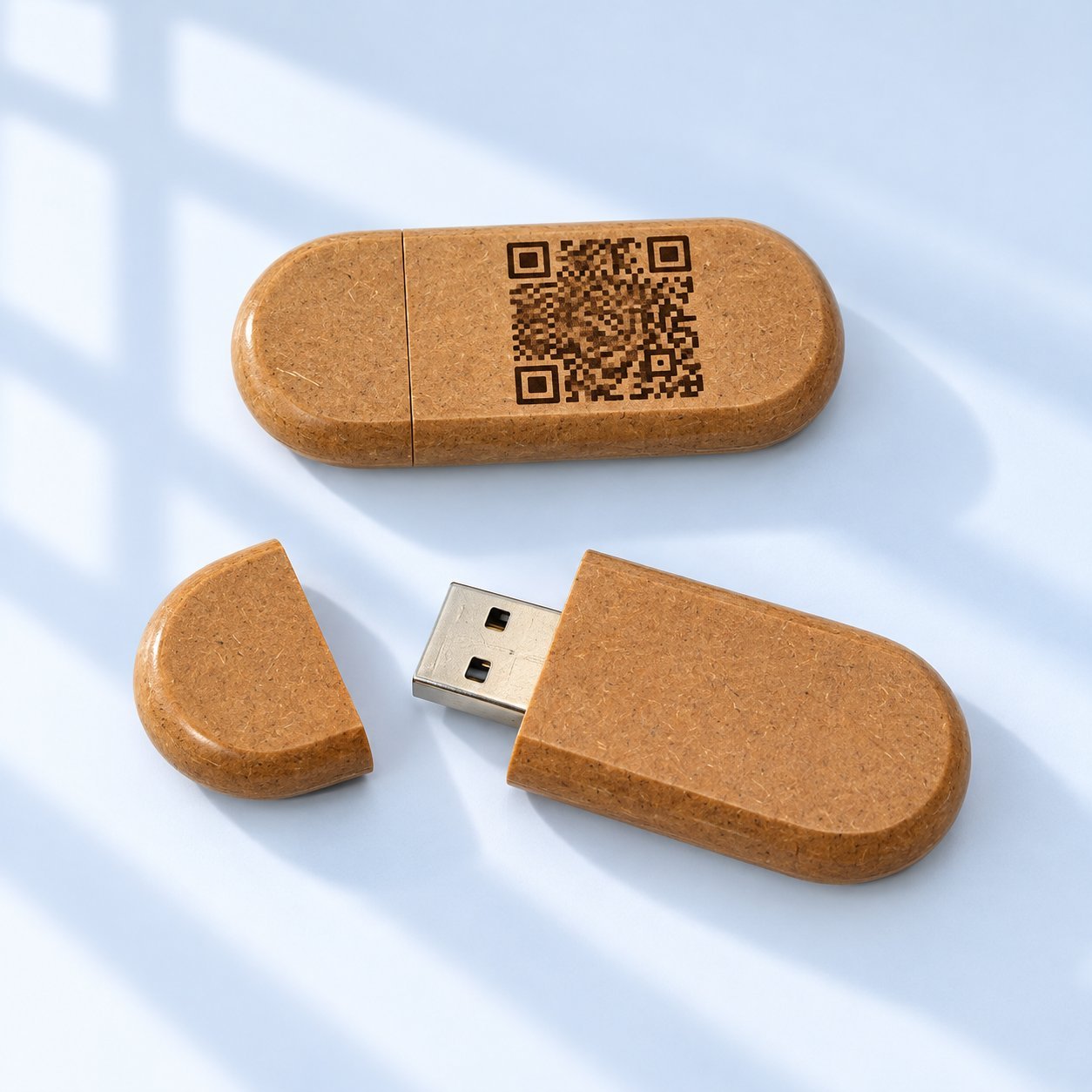
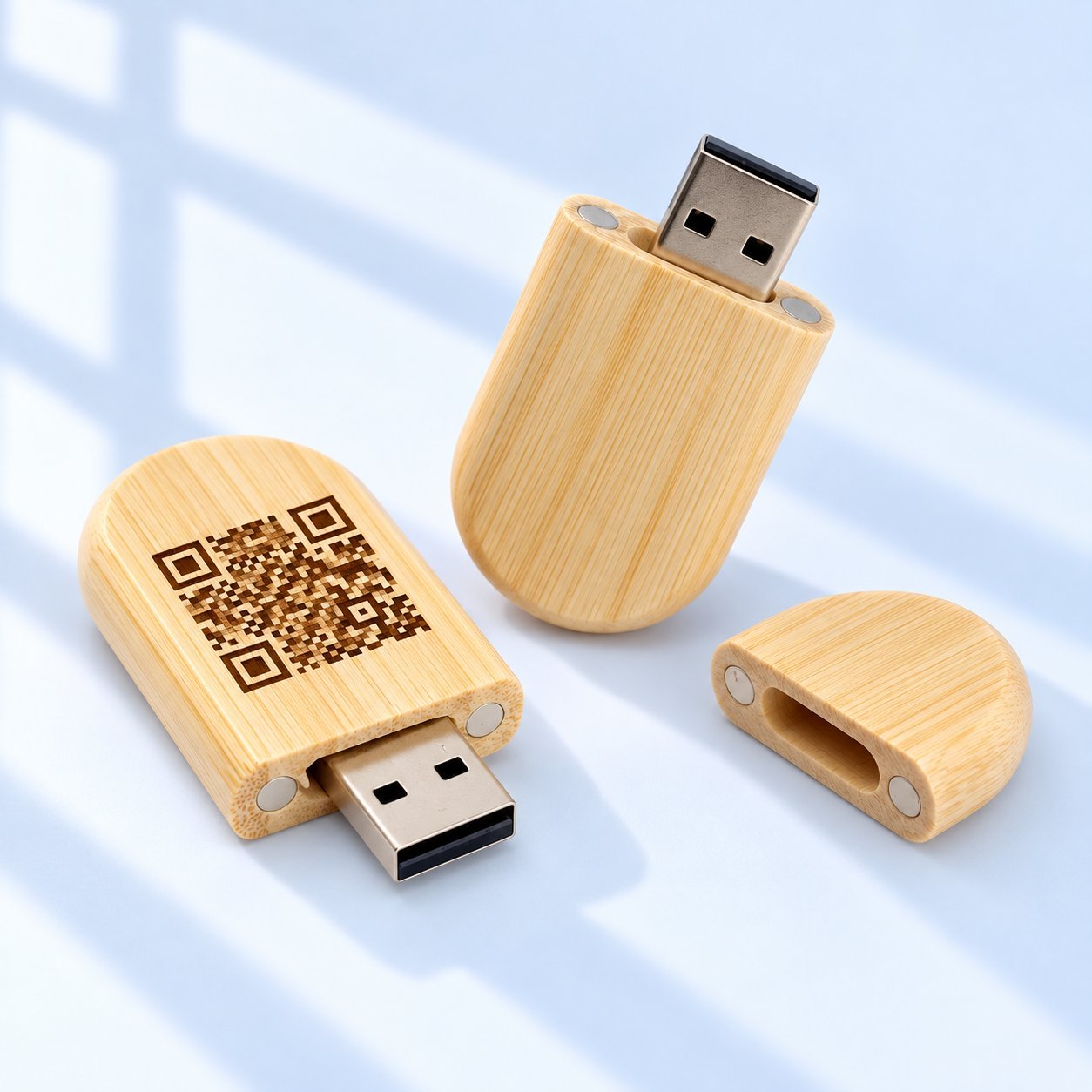
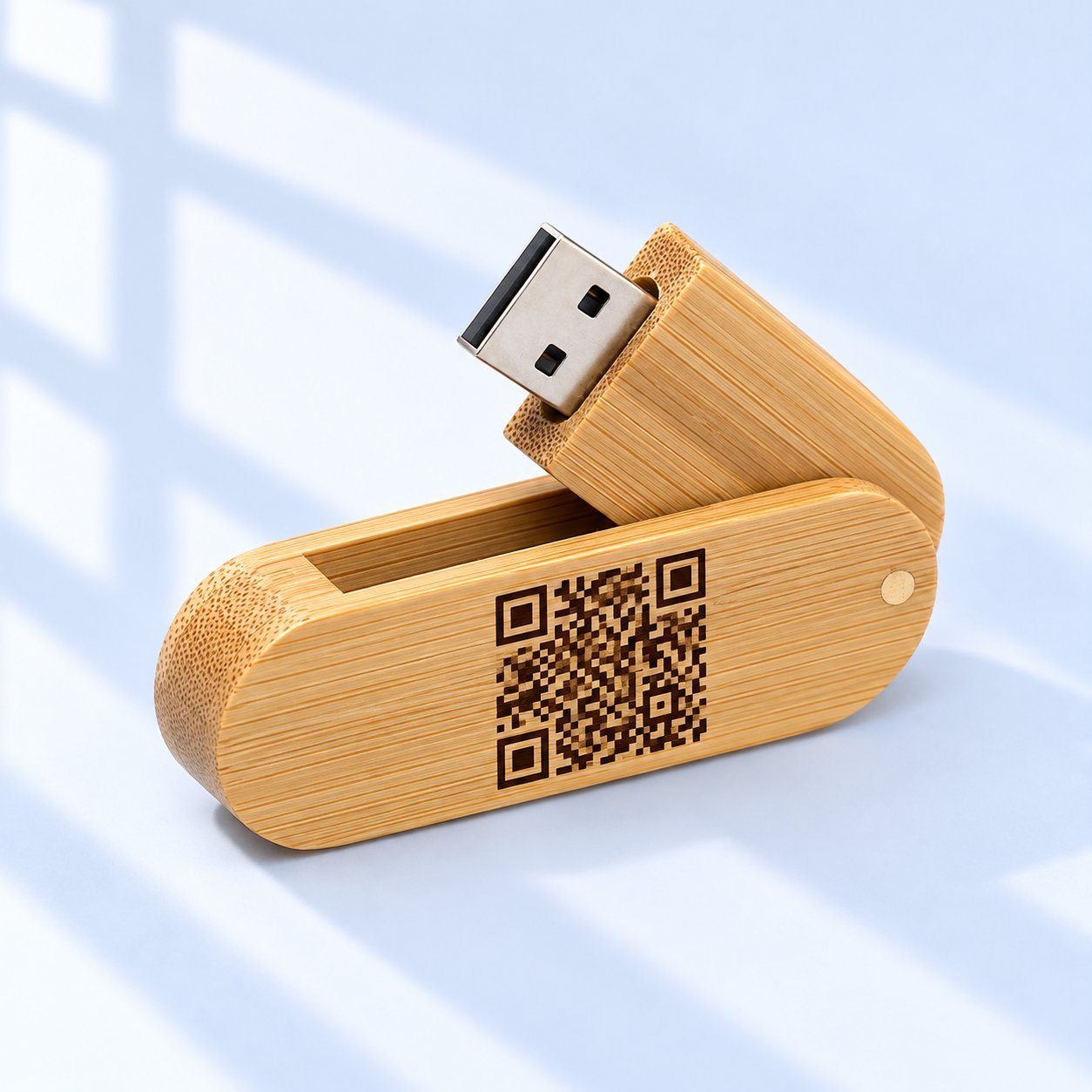
QR-код можно выгравировать прямо на деревянный USB-накопитель, но надёжность сканирования зависит от условий — всё сводится к версии кода и количеству модулей, зоне тишины вокруг него, контрасту с деревом, полезной площади гравировки накопителя и URL назначения, на который он указывает. Гравировка мелкого кода на светлом дереве — самая трудная комбинация для правильного результата; УФ-печать или размещение кода на коробке либо на вкладыше обычно проще. Какой бы метод вы ни выбрали, утвердите физический образец, протестированный на сканирование в реальных условиях, в которых будет использоваться код — не фиксированная гарантия, а реальный тест приёмки.
Логотип или короткое название имеют некоторую толерантность к неидеальной гравировке — слегка мягкий край или неровная линия всё равно воспринимаются как логотип. QR-код гораздо менее толерантен, поскольку сканер различает тонкую деталь модуль за модулем, а не распознаёт общую форму. Именно поэтому это одна из немногих кастомизаций деревянного USB-накопителя, которую стоит проверить физически до, а не после того, как вы определитесь с тиражом.
Почему QR-код — это задача иного уровня сложности, чем логотип или название
Два фактора делают нанесение QR-кодов сложнее, чем обычную гравировку или печать: требуемая площадь и требуемый контраст. Логотип может оставаться разборчивым при меньшем размере, чем тот, который нужен QR-коду, поскольку сканер считывает тонкую деталь модуль за модулем, а не распознаёт общую форму. И в отличие от логотипа, где текстура древесной структуры — в основном эстетический фактор, волокна и тон напрямую мешают сканеру различать тёмные и светлые модули кода между собой.
Сопутствующий этому проекту чек-лист по мелкому тексту и тонколинейным логотипам охватывает проверку размера макета в целом — для QR-кода нужно всё из подхода того руководства, плюс указанные ниже требования к размеру и контрасту, специфичные для QR-кодов.
Сравнение трёх вариантов размещения
| Метод | Считываемость | Долговечность | Полезная площадь | Внешний вид |
|---|---|---|---|---|
| Гравировка непосредственно на корпусе накопителя | Труднее всего добиться правильного результата — маленькая площадь, риск контраста из-за древесной структуры; требуется тестовый образец для подтверждения | Постоянно, является частью самого накопителя | Ограничено доступной поверхностью гравировки накопителя, зачастую самое жёсткое ограничение | Согласуется с полностью гравированным дизайном; заметное различие в тоне дерева между экземплярами |
| УФ-печать на корпусе накопителя | Проще — чёткий контраст чёрного по белому достижим с белой подложкой независимо от тона дерева | Зависит от покрытия/финиша; подтвердите износостойкость у своего поставщика | То же физическое ограничение по площади, что и при гравировке, но контраст не зависит от структуры дерева | Добавляет печатный элемент рядом с любым выгравированным логотипом |
| На коробке, вкладыше или упаковке | Проще всего — упаковка обычно обеспечивает наибольший контраст и гибкость по размеру | Привязан к упаковке, а не к накопителю — не переместится вместе с ним, если коробку выбросить | Фактически не ограничен по сравнению с корпусом накопителя | Сохраняет выгравированный дизайн накопителя без прерываний |
Используйте это как отправную точку для сравнения, а не как рейтинг — то, какой вариант «лучший», зависит от того, должен ли код оставаться с накопителем навсегда или просто должен дойти до получателя один раз.
Два способа нанести QR-код на заказ деревянного USB-накопителя — и их сопутствующие компромиссы
Гравировка непосредственно на корпусе накопителя. Это сохраняет код навсегда на самом накопителе, но сталкивается с обеими проблемами — площади и контраста, описанными выше, поскольку площадь гравировки типичного USB-накопителя часто меньше дюйма в ширину — то же ограничение по полезной площади, которое сопутствующий этому проекту гид по читаемости измеряет для логотипов и текста. Измерьте фактическую полезную площадь вашей конкретной модели накопителя, вместо того чтобы предполагать, что эта цифра относится к вашему SKU. Светлые породы дерева также могут давать более низкий контраст между выгравированным модулем и его фоном, поскольку оба могут оказаться похожего бежевого тона — рассматривайте это как риск, который нужно проверить на образце выбранной породы, а не как гарантированную неудачу.
Нанесение УФ-печатью на накопитель либо размещение на коробке/вкладыше. УФ-печать может обеспечить чёткий высококонтрастный QR-код чёрный по белому независимо от тона дерева, если под кодом используется белая подложка — тот же вопрос подложки, рассмотренный в руководстве этого проекта по подбору фирменного цвета для цветных логотипов на тёмном дереве. Размещение кода на подарочной коробке, вкладыше или упаковке вместо корпуса накопителя полностью обходит ограничение по площади гравировки, поскольку упаковка обычно предлагает гораздо больше полезного места — и именно такой подход YOUSAN уже использует для QR-кодов для последующего контакта после выставок, размещая их на коробке, а не на самом изделии, как показано в руководстве по USB-накопителям для выставок.
Размер: отправная точка для тестирования, а не твёрдое правило
Рассматривайте каждую приведённую ниже цифру как отправную точку для тестирования, а не как жёсткий минимум — фактические требования к размеру зависят от итоговой версии QR-кода и количества модулей, которые вы сгенерируете, зоны тишины вокруг него, вашего процесса печати или гравировки и ожидаемого расстояния сканирования.
| Требование | Базовые рекомендации | Почему это важно именно для деревянного USB-накопителя |
|---|---|---|
| Приблизительный минимальный размер QR-кода | Примерно 2 см × 2 см (0.8in) как отправная точка для тестирования, а не гарантированно рабочий размер | Поверхность гравировки типичного USB-накопителя часто меньше этого, если учесть требуемое поле — измерьте полезную площадь вашего конкретного накопителя, а затем сгенерируйте код и проведите его физическую проверку |
| Правило размера в зависимости от расстояния сканирования | Ширина кода примерно одна десятая от ожидаемого расстояния сканирования как отправное соотношение — фактическое число зависит от итоговой версии QR-кода и качества печати/гравировки | Рекламные USB-накопители обычно сканируют на близком расстоянии в руке — это более простой случай, но всё равно требуется физическое подтверждение, а не только соотношение |
| Зона тишины (поле) | Свободное пространство, равное примерно 4 модулям, или примерно 10–15% от ширины кода, со всех сторон, чтобы посторонний макет не заходил на него | Легко упустить из виду на маленьком, загруженном корпусе накопителя, на котором уже есть логотип или текст — QR-коду нужно собственное выделенное место |
| Минимум гравировки по дереву | Выгравированные коды на дереве обычно требуют большего рабочего размера, чем тот же напечатанный код, поскольку текстура волокон мешает тонкой детали модулей | В этом суть проблемы с площадью — размер, при котором логотип гравируется чисто, всё ещё может быть слишком мал для QR-кода именно как кода, и только физический образец подтверждает фактический минимум для вашего накопителя и породы дерева |
Таблица отражает общие стандарты QR-кодов и практику гравировки по дереву, а не заявленную спецификацию YOUSAN. Сгенерируйте свой фактический QR-код в нужном итоговом размере, в нужной породе дерева и процессе и проведите скан-тест этого конкретного образца — не предполагайте, что любое число из этой таблицы напрямую переносится на ваш SKU.
Контраст и коррекция ошибок
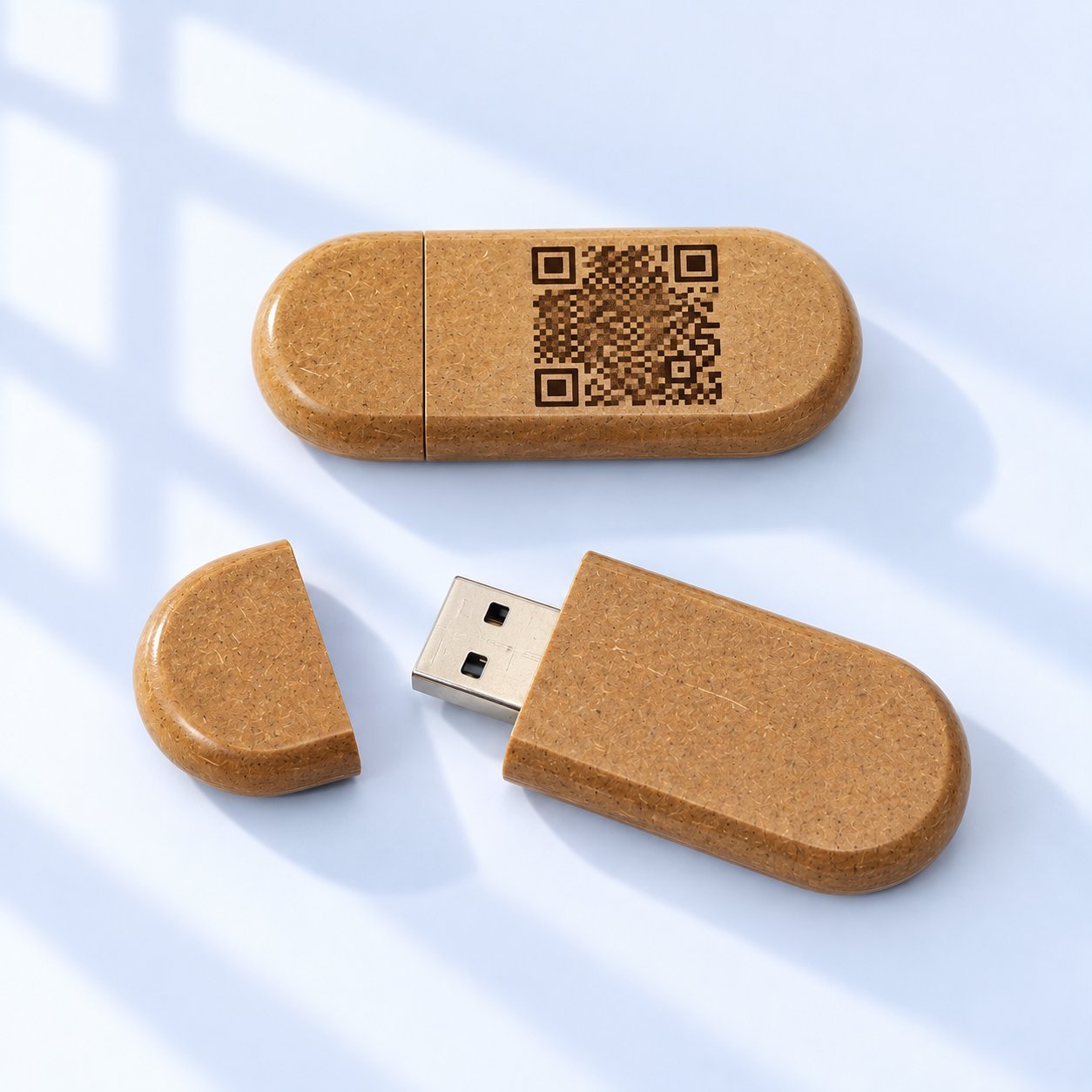
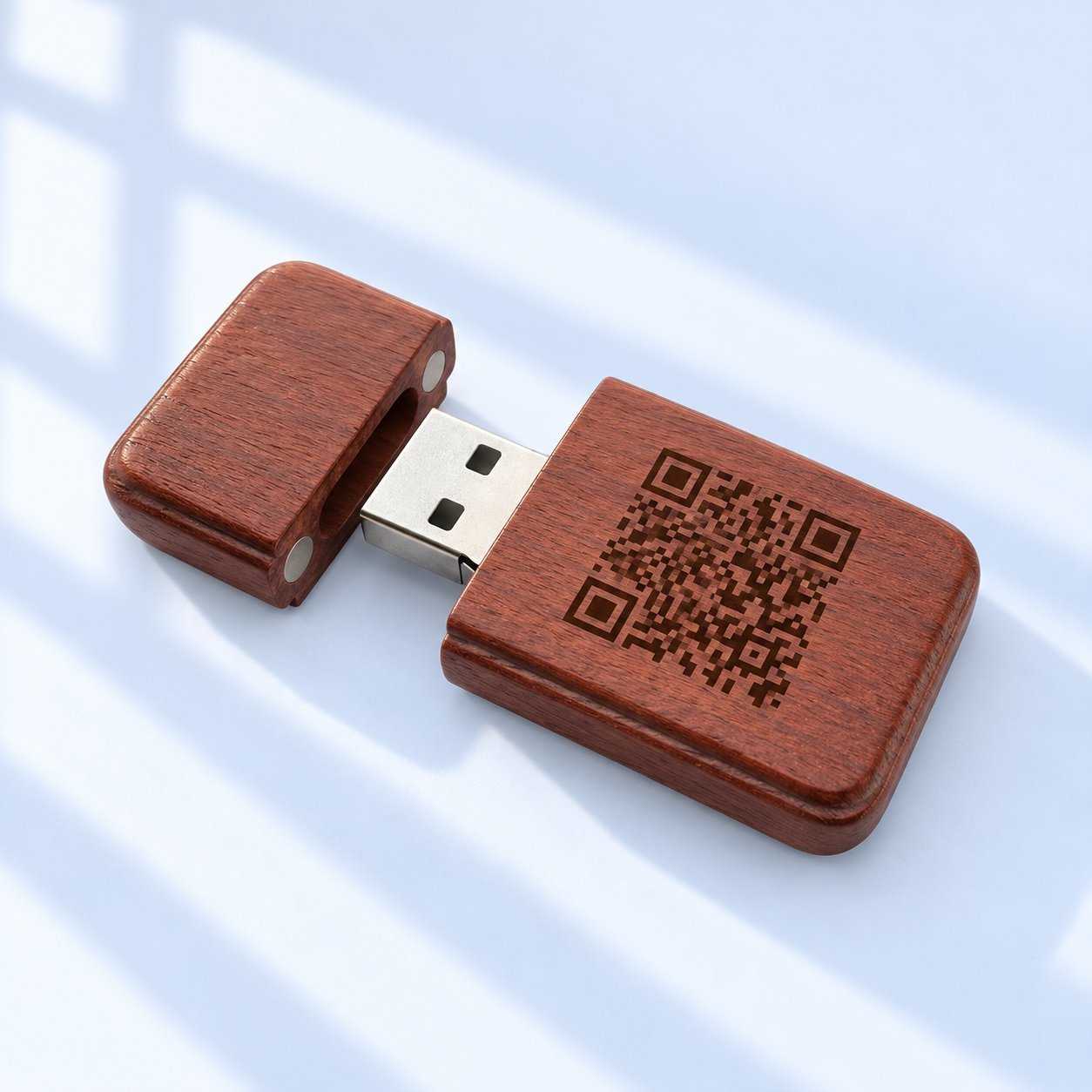
Если вы гравируете код непосредственно, выбирайте более тёмную породу дерева, где возможно, поскольку светлое дерево, например клён, выгравированное с похожим светлым следом обжига, создаёт плохой контраст между модулями кода — проверьте это на физическом образце, вместо того чтобы предполагать, что это либо работает, либо сразу не удалось. Некоторые поставщики могут заполнить выгравированный код тёмным воском или чернилами впоследствии специально для повышения контраста — спросите, доступно ли это, если вы настаиваете на прямой гравировке вместо УФ-печати.
Уровень коррекции ошибок — это компромисс, а не автоматическое улучшение: более высокий уровень (уровни идут Low, Medium, Quartile, High согласно стандарту QR) допускает больше повреждений или преград, но также повышает плотность кода, что может сделать уже ограниченную по площади гравировку труднее разрешимой. Собственное объяснение DENSO WAVE принципов коррекции ошибок QR — изначального разработчика формата — является основным источником того, как работают эти уровни и на какую устойчивость к повреждениям нацелен каждый из них. Выбирайте уровень, исходя из риска повреждения, доступного размера гравировки и расстояния сканирования, а затем проверьте фактический макет на физическом образце, вместо того чтобы по умолчанию выбирать наивысший уровень как универсальное правило.
Планируйте весь жизненный цикл кода, а не только первое сканирование
QR-код, который идеально сканируется в первый день, может перестать работать позже, если перестанет работать его назначение. Прежде чем утверждать оптовый тираж, подтвердите, что вы владеете или контролируете целевой URL на долгий срок, что он обслуживается по HTTPS и что он не будет удалён, перенаправлен без вашего ведома или заменён страницей завершённой кампании. Если URL когда-либо нужно будет изменить, используйте постоянное перенаправление с исходного адреса вместо выпуска нового кода — физический код на отгруженном накопителе нельзя заменить. Повторно протестируйте сканирование и после отгрузки товара, а не только до неё, поскольку изменение на стороне назначения может незаметно сломать код, который был правильно выгравирован или напечатан.
Шаги проверки перед утверждением оптового тиража
- Сгенерируйте итоговый код, указывающий на его итоговый целевой URL, подтверждённый как принадлежащий вам или контролируемый вами долгосрочно, а не заполнитель или краткосрочная ссылка кампании.
- Запросите физический образец с использованием выбранного вами метода (гравировка или УФ-печать) и выбранного размещения (корпус накопителя, коробка или вкладыш) в нужном итоговом размере.
- Проведите скан-тест физического образца, а не цифрового макета, используя более одной марки телефона и более одного приложения для сканирования, поскольку чувствительность сканеров различается.
- Тестируйте при реалистичном освещении, включая тусклое, поскольку код, который легко сканируется при ярком студийном свете, не гарантирует такого же сканирования в тусклом конференц-зале.
- Повторно протестируйте после нанесения любого покрытия или финиша, поскольку слой герметика или лака может снизить контраст или создать блики, которых не было на необработанном образце.
- Утверждайте массовое производство только после того, как физический образец пройдёт проверку, — тот же стандарт, который этот проект применяет к цвету и утверждению гравировки в других местах — цифровая визуализация никогда не является окончательным доказательством, а прохождение при ваших условиях тестирования — это результат приёмки, а не универсальная гарантия для каждого устройства и среды.
Часто задаваемые вопросы
Можно ли выгравировать QR-код лазером прямо на корпус деревянного USB-накопителя?
Да, но это самый сложный из трёх вариантов размещения для надёжного сканирования, поскольку он сочетает самую ограниченную полезную площадь с риском контраста из-за древесной структуры. Измерьте полезную площадь гравировки вашего конкретного накопителя, сгенерируйте код в нужном итоговом размере и проведите скан-тест физического образца, прежде чем брать на себя оптовый тираж.
Лучше разместить QR-код на накопителе или на упаковке?
Упаковка обычно даёт вам наибольшую полезную площадь и самый простой путь к надёжному контрасту — YOUSAN уже использует этот подход для кодов последующего контакта после выставок, размещая их на коробке, а не на самом накопителе. Выбирайте в зависимости от того, должен ли код физически оставаться с накопителем или просто должен дойти до получателя один раз.
Влияет ли порода дерева на то, отсканируется ли QR-код?
Может, если вы гравируете непосредственно. Более тёмные породы дерева обычно обеспечивают лучший контраст для выгравированного кода, чем более светлые, где выгравированный след и окружающее дерево могут оказаться слишком похожими по тону — но это риск, который нужно подтвердить физическим образцом на выбранной породе, а не фиксированный результат ни в ту, ни в другую сторону.
Какой уровень коррекции ошибок использовать для выгравированного или напечатанного QR-кода?
Выбирайте его, исходя из риска повреждения, доступного размера и расстояния сканирования, а не выбирая автоматически наивысший уровень — более высокий уровень коррекции ошибок допускает больше повреждений, но также повышает плотность кода, что может сыграть против вас на маленьком накопителе с ограниченной площадью. Проверьте свой окончательный выбор на физическом образце.
Как узнать, отсканируется ли мой QR-код на самом деле, прежде чем я закажу оптом?
Запросите физический образец в точно выбранном вами размере, материале и размещении, сгенерированный с вашим реальным итоговым целевым URL, и проведите скан-тест самостоятельно с более чем одним телефоном и приложением при нормальном освещении. Считайте положительный результат приёмкой в рамках проверенных вами условий, а не гарантией для каждого устройства, расстояния или ситуации освещения, которые вы не тестировали.
Сообщите нам целевое размещение QR-кода до утверждения оптового тиража
Сообщите, размещаете ли вы QR-код на корпусе накопителя, подарочной коробке или вкладыше, вместе с вашим итоговым целевым URL и нужной породой дерева — чтобы образец для скан-теста можно было организовать с использованием выбранного вами метода до массового производства и подтвердить контраст, размер и допуск финиша для вашего конкретного SKU и породы.
 Русский
  English
  Español de México
  Italiano
  Deutsch (Österreich)
  Français
  Türkçe
  Bahasa Melayu