
A USB stick is a small storage device you plug into a USB port to save files and move them between computers, phones and other devices. You will also see it called a flash drive, thumb drive, pen drive, or memory stick. They all mean the same thing. This guide walks you through how a USB stick works, the connectors and capacities you can choose, what each capacity really holds, and what to check before you buy one or order a batch with your own logo.
What a USB stick actually is
A USB stick stores your data on flash memory. Flash memory keeps your files even when there is no power, so the drive holds everything after you unplug it or shut the computer down. Open one up and you find no spinning disks and no moving parts. That is why it survives a drop that would kill a traditional hard drive, and why it stays silent and cool while you work.

The part that matters most sits where you cannot see it: the flash memory chip and the controller. A good chip holds its real rated capacity and keeps your data readable for years. A cheap or fake chip does not, which is why YOUSAN’s chip guide treats chip grade as the first thing to lock down in a specification.
The rest is simple. You plug it into a USB port, the computer sees it as a drive, and you drag files on or off. A thumb drive, a pen drive and a memory stick are the same product doing the same job; only the name changes from shop to shop.
Because that one component decides whether the drive is worth buying, everything below about capacity, speed and bulk orders comes back to the chip.
Types of USB stick by connector
Before you pick a capacity or a style, you need to know which plug fits your devices. The connector is the first real decision, because it controls what you can plug the drive into.
USB-A is the classic flat rectangular plug. It still fits most laptops, desktops, TVs, printers and car stereos, so pick it when your files move mostly between computers. USB-C is the small oval reversible plug on newer phones, tablets and laptops: Apple’s iPhone 15 tech specs list a USB-C connector, and most current Android phones and recent iPad and MacBook models carry USB-C too. Pick USB-C when you need to plug straight into a phone.
A dual-interface stick carries both plugs, one on each end, so you can move a file off your laptop through USB-A and onto your phone through USB-C with the same drive. OTG stands for On-The-Go and lets a phone or tablet read the drive directly; many dual-interface sticks are also OTG drives. You can browse the USB-C and OTG flash drive range and ask for a sample before you commit to one connector.


If you are buying for a team or an event crowd and you do not know what devices people carry, a dual-interface stick removes the guesswork. Connector choice is also separate from capacity and speed: YOUSAN’s supplier quality guide treats connector type and USB data-transfer generation as two different line items on a locked spec.
USB stick capacities and what each holds
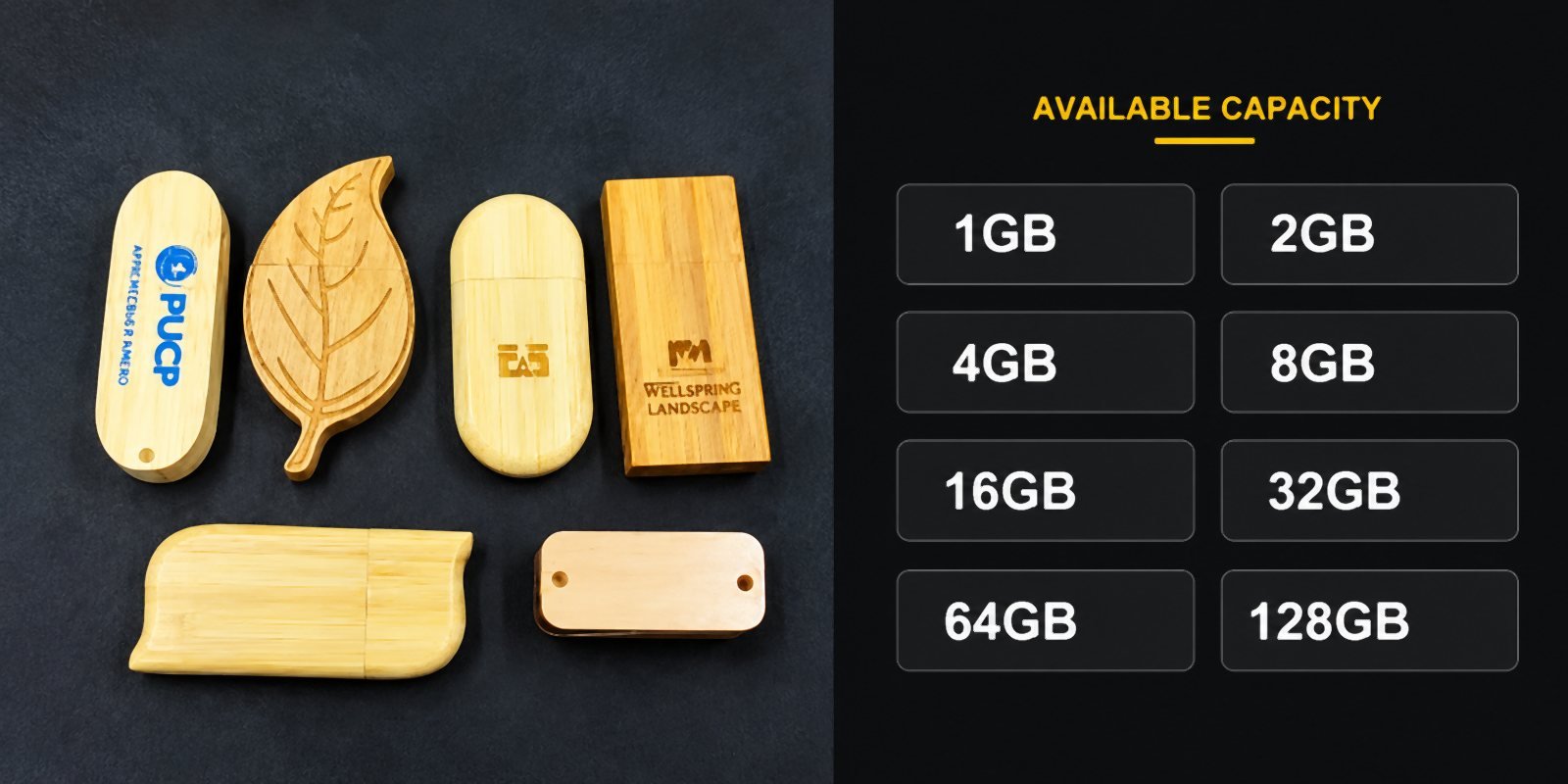
Capacity is the spec you will fixate on most, and it is easy to overspend here. A bigger drive costs more per unit, so match the drive to the job instead of buying the biggest number on the shelf. These are the real figures from YOUSAN’s USB storage capacity chart, not round-number guesses.
| Capacité de stockage | Usable space shown | Typical preload | Interface / typical order |
|---|---|---|---|
| 1GB | about 0.93GB | Liste de prix ou un catalogue PDF — environ 190 fichiers de 5MB chacun | USB 2.0 · micro-budget handout |
| 2GB | about 1.86GB | Brochure plus price list — about 380 files at 5MB each | USB 2.0 · trade-show giveaway |
| 4GB | about 3.72GB | Dossier de marque et série de photos — environ 470 photos de 8MB chacune | USB 2.0 · high-volume promo |
| 8GB | environ 7,45 GB | Catalogue, liste de prix et vidéo de campagne — environ 950 photos de 8MB chacune | USB 2.0 · conference giveaway |
| 16GB | environ 14,9 GB | Documents, images and brand media — about 1,900 photos at 8MB each | USB 2.0 / 3.0 · corporate gift |
| 32GB | environ 29,8 GB | Onboarding kit — about 3,800 photos at 8MB each | USB 2.0 / 3.0 · business gift, education |
| 64GB | environ 59,6 GB | Vidéos HD et fichiers de cours — environ 39 vidéos de 1.5GB chacune | USB 3.0 · training content |
| 128GB | environ 119,2 GB | Campaign assets and product demos — about 79 videos at 1.5GB each | USB 3.0 · media delivery |
| 256GB | about 238.4GB | Fichiers médias et d’ingénierie volumineux — environ 158 vidéos de 1.5GB chacune | USB 3.0 · premium retail |
| 512GB | about 476.8GB | Sauvegardes et bibliothèques multimédias — environ 317 vidéos de 1.5GB chacune | USB 3.0 · professional storage |
Scope note: the chart uses a 5MB PDF, an 8MB photo and a 10-minute 1080p video of 1.5GB as its example basis, so mixed content changes every count. Treat those file counts as scale references, not a guarantee. The label is decimal while your operating system displays binary, and formatting reserves a little space for the file system, which is why a 32GB drive shows about 29.8GB. YOUSAN lists 1GB à 512GB as standard production; above 512GB, including 1TB (about 931GB shown), depends on flash memory supply for that period, so confirm it before the sample is made, not after.
A small gap is normal. A large one is not: YOUSAN calls a drive sold as 64GB that reports only 8GB fake capacity, not a units difference. The guide des capacités says 16GB and 32GB are the two sizes buyers request most often, and the capacity chart generally recommends USB 3.0 for 64GB and above because it significantly reduces transfer time. Test a sample with a free capacity check before you accept a bulk order.
USB stick styles and materials
A USB stick does not have to look like a plain plastic stub. The shell is where your branding lives, so the material and shape matter as much as the capacity when you order custom drives.


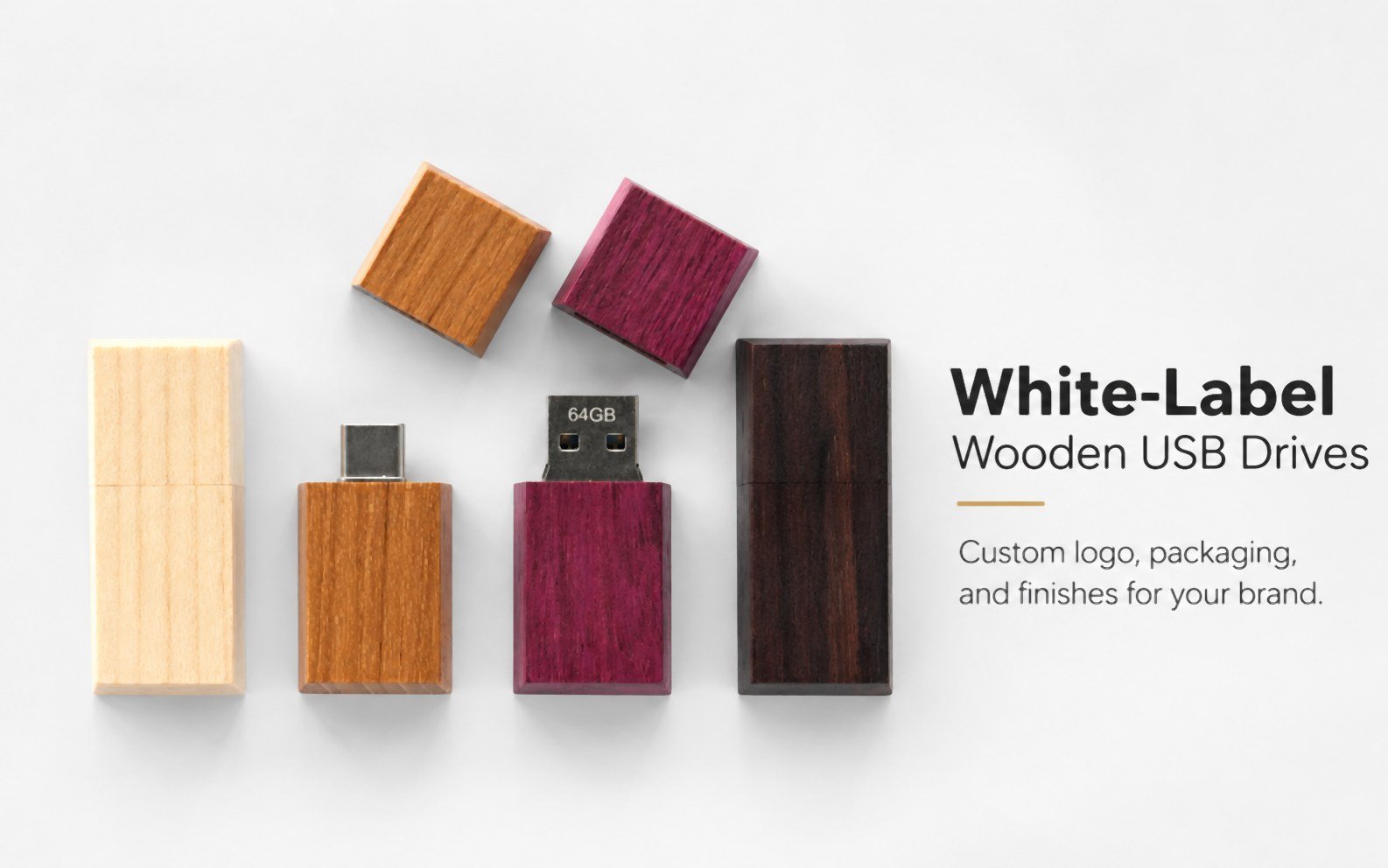
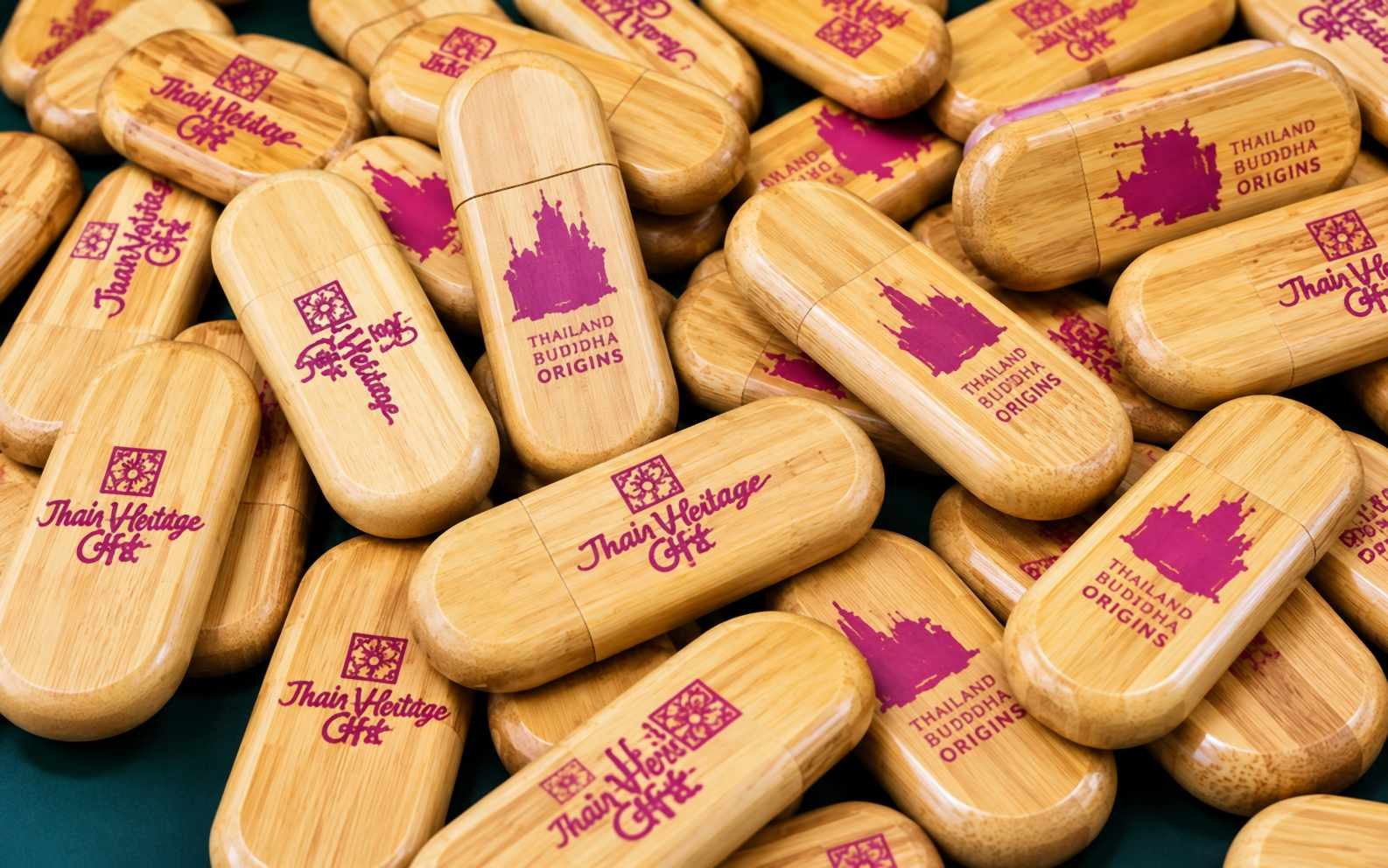
Metal bodies feel solid and take laser engraving cleanly, so your logo stays sharp on a client gift. Wood and bamboo suit a brand that leans eco-friendly or natural, and they support laser engraving plus hot-stamping in gold or silver foil. Card drives are 85 x 54 x 2 mm — credit-card-sized, wallet-friendly, with full-colour logo printing on both sides. Keychain and wristband styles stay attached to the user instead of being lost in a drawer, while plastic and PVC shells cost the least per unit and mold into custom shapes.
For logos, YOUSAN’s metal drive page lists laser engraving, silk screen printing, UV full-colour printing and embossing or debossing; the wooden drive page adds hot-stamping for metallic foil effects. You can browse real shapes on the pen-style USB drive category et le card USB drive category, then send your artwork and ask for a free 3D design draft so you see the placement before tooling starts.
USB stick speed: USB 2.0 vs USB 3.0
Speed depends on the USB version inside the stick, not on the shape of the shell. You feel the difference most when you copy large files or load a big batch of drives at once.


YOUSAN’s own pages publish different ranges because they describe different chips. The guide des puces flash USB puts USB 3.0 reads at roughly 30 to 100MB/s and writes at 12 to 50MB/s, against USB 2.0 reads of up to around 25MB/s and writes between 2 and 20MB/s. The USB 3.0 category page quotes mainstream USB 3.0 drives higher still, at 80 to 150MB/s read and 30 to 80MB/s write. Writing is always slower than reading, and both figures come from the flash chip and controller paired inside the drive.
That gap is why a single rounded number on a generic listing is a starting point, not a spec you can hold a supplier to. YOUSAN’s USB 2.0 vs USB 3.0 guide walks through the trade-off for a business order; in every case, ask for the tested read and write speed of the exact model you plan to buy, in writing, before you approve a production run.
Buying USB sticks in bulk: what to check
If you are ordering USB sticks for a business, an event or resale, the shell and the colour are the easy part. The chip inside is the real risk. A drive that reports 64GB but only holds 8GB will pass a quick glance and fail your customer three weeks later. Protect the order with the same discipline every time.
- Ask what grade of chip the factory uses. YOUSAN states that it uses original Grade A flash chips and runs a 100% H2testw test before shipment, the check that catches a fake-capacity drive. Read how chip grades differ in the guide des puces flash USB et le flash chip category, then ask for the test report on your production batch.
- Confirm the minimum order quantity early. YOUSAN recense no MOQ on existing styles, a 100-piece minimum on PVC molded drives, and a 1,000-piece minimum on metal and plastic molded drives. A custom mold raises both your minimum and your tooling cost, so get that number before you settle on a shape.
- Run a capacity check on the sample. Speed and capacity are two separate tests. A drive can be fast and still lie about its size, so run a free H2testw-style capacity check on any new bulk order before you accept it.
- Get a free sample and a free design draft first. YOUSAN offers free design, free samples and a 3D drawing of the product design, so you approve a real drive in your hand before mass production. Send your spec and you get a quote back in under 15 minutes. Getting the sample right costs far less than fixing a wrong batch.

Chip grade is also what sets the real lifespan. Original Grade A flash holds its charge far longer than off-spec or recycled chips, so a stick that survives years of use starts with the component nobody sees at the trade show.
Storage conditions matter too. Keep the drives dry, avoid pulling them out mid-transfer, and ask your supplier for the H2testw report on the same production batch you are buying — not a sample from a different run.
USB stick FAQ
Is a USB stick the same as a flash drive, thumb drive, and pen drive?
Yes. A USB stick, a flash drive, a thumb drive, a pen drive and a memory stick are different names for the same device: flash memory behind a USB plug. If a supplier uses the terms differently, send a written spec sheet so everyone quotes the same product. You can ask YOUSAN for a quote in under 15 minutes.
How long does a USB stick last?
A quality USB stick holds your data for years when it is stored safely and not pulled out mid-transfer. The chip grade sets the real lifespan: original Grade A flash holds its charge far longer than off-spec or recycled chips. Ask your supplier what grade they use and request the H2testw test report on the production batch before you buy in bulk.
What capacity USB stick should I order?
YOUSAN says 16GB and 32GB are the two sizes buyers request most often, because they offer useful storage without pushing the unit price too high. Step up to 64GB or more when you preload HD video or large project files. If you are unsure, send your file list and ask the team to recommend a capacity before the sample is made.
Can I put my logo on a USB stick?
Yes. Metal shells take laser engraving, silk screen printing, UV full-colour printing and embossing; wooden and gift-box surfaces also take hot-stamping in gold or silver foil. Card drives are printed in full colour on both sides. Send your artwork and ask for a free 3D design draft so you can see the placement before tooling starts.
Why does my USB stick show less space than the label?
A small gap is normal. The label is decimal, your operating system reports binary, and formatting reserves a little space for the file system, so a 32GB drive shows about 29.8GB. A large gap is different: YOUSAN calls a drive sold as 64GB that reports only 8GB fake capacity, not a units difference. Test any new bulk order with a free capacity-check tool and buy from a supplier that runs a 100% H2testw test.
Get a quote on custom USB sticks
Now you know what a USB stick is, which connector fits your devices, how much each capacity really holds, what separates a reliable drive from a fake one, and what to check before a bulk order. Send YOUSAN your style, capacity, interface and quantity, and you get a quote back in under 15 minutes. Ask for a free 3D design draft and a free sample before you commit, so you see your logo on a real drive first. Every order ships with original Grade A chips and a 100% H2testw capacity test, so the stick that reaches your customer holds exactly what the label says.
 Français
 English
 Español de México
 Italiano
 Deutsch (Österreich)
 Русский
 Türkçe
 Bahasa Melayu