
Выбранный интерфейс влияет не только на скорость передачи. Он влияет на то, оставит ли ваша брендированная флешка сильное впечатление или разочарование. USB 2.0 и USB 3.0 не взаимозаменяемы, когда речь идет о реальных файлах и реальных получателях.
Вот короткая версия. Выбирайте USB 2.0 для внутренних флешек с небольшими файлами — документами, PDF, онбординг-материалами — где аудиторией является ваша собственная команда. Выбирайте USB 3.0, когда флешка содержит большие файлы вроде видео, ПО или дизайн-работ, или когда она попадает к клиенту, инвестору или участнику мероприятия, чье первое впечатление важно. Чем больше файлы и чем внешнее аудитория, тем важнее интерфейс.
YOUSAN — прямой завод USB-флешек, выпускающий накопители на заказ с 2011 года. Вы получаете бесплатный 3D-макет перед производством, прототип уже за 3 дня, чипы памяти класса A, рассчитанные на долгие годы надёжной работы, бесплатную предзагрузку данных и полный пакет экспортных сертификатов (ISO9001, SGS, RoHS, CE, BSCI). USB 2.0 и USB 3.0 отгружаются в любых количествах. Сообщите нам размер ваших файлов, получателей и количество — и вы получите расчёт напрямую с завода в течение 24 часов.
USB 2.0 против USB 3.0: краткий обзор
| Фактор | USB 2.0 | USB 3.0 |
|---|---|---|
| Скорость передачи | Медленнее – заметно на больших файлах | В несколько раз быстрее при передаче больших объёмов данных |
| Оптимальный размер файла | Менее ~500MB на накопитель | Несколько гигабайт на накопителе |
| Идеальный контент | Документы, PDF-файлы, небольшие конфигурационные файлы | Видео, образы программного обеспечения, файлы дизайна, большие массивы данных |
| Лучшая аудитория | Внутренние команды в контролируемой среде | Клиенты, инвесторы, участники мероприятий, партнеры |
| Относительная оптовая стоимость | Ниже за единицу | Немного выше за единицу |
| В более старом порту USB 2.0 | Работает на полной скорости | Снижается до скорости USB 2.0 |
Используйте эту таблицу как краткий справочник, а затем читайте далее о реальных сценариях, определяющих каждый случай.
Как ощущается разница в скорости при реальном использовании
Цифры в мегабайтах в секунду в исходном виде не отражают реального коммерческого использования. Важно то отличие, которое вы ощущаете в условиях дефицита времени.
Представьте, что вам нужно скопировать 2GB демонстрационное видео продукта на 10 флешек за 30 минут до встречи с клиентом. С USB 2.0 вы видите, как индикатор выполнения еле ползёт. Через пять минут ваша команда всё ещё ждёт. Та же задача с USB 3.0 занимает менее 2 минут, и у вас ещё остаётся время собраться. Один интерфейс делает подготовку нервной. Другой — обычным делом.
Чем больше файл, тем заметнее разница. Видео о продуктах, изображения программ и даже видеоматериалы для обучения замедляют работу USB 2.0, но не USB 3.0.
Подумайте о том, где окажется флешка
Самый важный вопрос перед оптовый заказ Дело не в самом накопителе. Дело в том, кто его подключает.
Внутреннее использование остаётся в среде, которую вы контролируете. Если конфигурационные файлы передаются другим ИТ-специалистам, ИТ-команда знает, какая конфигурация оборудования находится на другом конце. Такие накопители вручаются не клиентам, а сотрудникам — например, HR-отделом, загружающим документы для адаптации. Вы хозяин ситуации. Скорость помогает, но она не несёт на себе репутацию вашего бренда.
При внешнем использовании всё меняется. Вы не можете контролировать впечатление, когда флешка попадает в ноутбук клиента или в сумку инвестора. Если ваш клиент ждет, пока работает медленная флешка, у него уже сложится мнение о вашей компании до того, как отобразится первый слайд. Этого мнения легко избежать, и начинается оно с интерфейса, который выбираете вы.
Где USB 2.0 по-прежнему справляется
Не все заказы должны выполняться на максимальной скорости. USB 2.0 — вовсе не устаревший стандарт. Он подходит для внутреннего использования, где файлы небольшие, а конечный пользователь никогда не задумывается об интерфейсе.
Это обычная работа HR-отдела. Координатору нужно записать на партию флешек справочники для новых сотрудников, бланки о льготах и PDF с политиками компании к дню адаптации. Файлы небольшие, перенос занимает секунды. Сотрудники подключают флешку, открывают PDF и приступают к работе. Никто не ждёт. Интерфейс остаётся незаметным, а флешка делает ровно то, что должна.
Это касается внутренних обучающих PDF, конфигурационных файлов отделов и небольших наборов документов, которыми обмениваются команды. Если ваши файлы небольшие и вы делитесь ими внутри организации, то USB 2.0 — все, что вам нужно.
Когда USB 3.0 оправдывает себя
Когда флешка с вашим логотипом покидает ваш офис, интерфейс становится частью вашей презентации. Именно здесь USB 3.0 перестаёт быть характеристикой и становится решением бренда.
Представьте менеджера по обучению, рассылающего видеоуроки по адаптации удаленным командам. На каждой флешке — часы контента в MP4, по несколько гигабайт на получателя. На USB 2.0 сотрудник ждет загрузки видео. На USB 3.0 воспроизведение начинается быстро, и работа выглядит профессионально еще до запуска первого модуля.
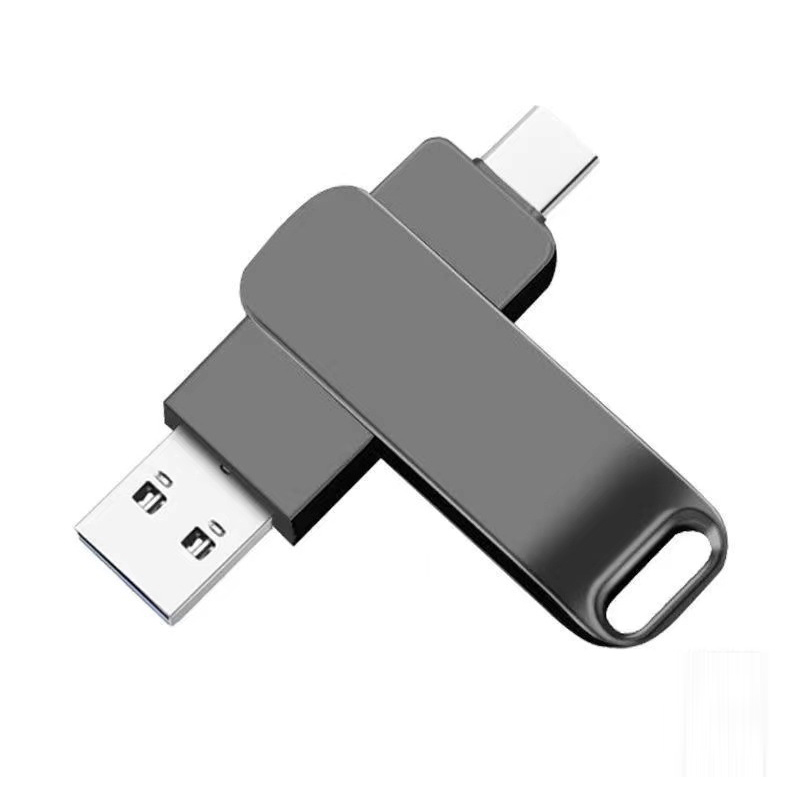
2 в 1 USB 3.0
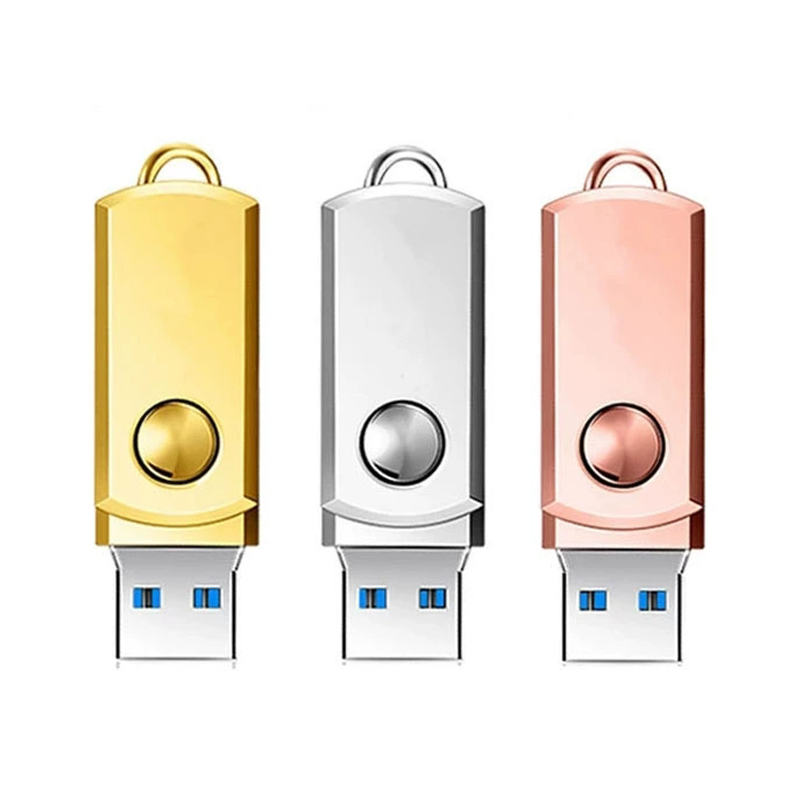
Металлический USB 3.0

USB 3.0 в форме обезьянки
Руководители, вручающие инвесторам флешки с питч-видео и финансовыми презентациями, ставят на кон то же самое. Медленная флешка перед человеком, принимающим решения, бросает тень на всю компанию, каким бы сильным ни был контент. USB 3.0 устраняет этот риск. Вы можете просмотреть полный Линейка USB 3.0 флешек Чтобы увидеть варианты в этом интерфейсе.
Ошибка, о которой никто вас не предупреждает
Многие компании внедряют USB 3.0 как стандарт по всей организации, а затем сталкиваются с тем, что им не’ нравится. Флешка USB 3.0, подключенная к порту USB 2.0, будет работать на скорости USB 2.0.
Обратная совместимость полезна – флешка будет работать в любом порту. В более медленном порту она работает на скорости порта, а не самой флешки. Если ноутбук получателя’s старый, он получит те же ощущения, что и от обычной флешки USB 2.0. Апгрейд не даст ему никаких преимуществ.
Компания заказала следующую партию USB 3.0 флешек для внешней маркетинговой кампании. Примерно у половины получателей был ноутбук возрастом 3-5 лет с портом USB 2.0. Те, кто получил флешки, не заметили никакого ускорения. Аудитория была вдвое меньше, а компания осталась на 3.0.
Оценивая, использовать ли USB 3.0 для клиента или во внешней кампании, обязательно проверьте аппаратное обеспечение получателей. Это особенно актуально для новейшего оборудования. На это стоит обращать внимание, если ваша компания работает в старых отраслях, не связана с IT или имеет длительные циклы обновления оборудования. Если вы знаете технический профиль получателей до заказа, вы понимаете, что получите за свои деньги.
Простой способ выбрать
Вам не нужна формула. Три вопроса решают все каждый раз.
Какой размер файлов? Документы, PDF-файлы и небольшие конфигурационные файлы быстро передаются по любому интерфейсу. Видео, образцы ПО и крупные пакеты данных — вот где интерфейс имеет значение. При объеме до примерно 500MB на флешку USB 2.0 справляется с задачей без затруднений.
Кто получает флешку — внутренняя команда или внешний получатель? Внутренние аудитории работают в средах, которые вы контролируете. Внешние получатели — клиенты, инвесторы, участники мероприятий, партнеры — оценивают ваш бренд в тот момент, когда подключают накопитель.
Какое оборудование использует ваша аудитория? Современные ноутбуки и настольные компьютеры полностью поддерживают USB 3.0. Старое оборудование — нет. Если ваши получатели используют новую технику, USB 3.0 раскрывает все свои преимущества. Если возраст устройств неравномерный или неизвестен, учитывайте это до принятия решения.
Разберитесь с этими тремя ответами — и правильный выбор станет очевидным. Точную разницу в цене по оптовым заказам смотрите в нашем руководстве по сравнению стоимости USB 2.0 и USB 3.0. Если вы все еще распределяете бюджет, наше руководство о сколько стоят USB-флешки на заказ разбивает цену по количеству и объему памяти.
Что отправить для расчёта
Чтобы быстро получить точный расчёт, отправьте следующие данные:
- Что вы распространяете — типы файлов и общий объем на каждом накопителе
- Кто получает флешку — внутренняя команда или внешние получатели
- Количество
- Необходимый объём памяти — быстрый руководство по объёму памяти поможет, если вы сомневаетесь
- Предпочтение по интерфейсу или попросите команду порекомендовать вариант
- Ваш файл логотипа
- Предпочтение по упаковке
- Крайний срок
На основе этих данных YOUSAN готовит бесплатный 3D-макет и расчёт напрямую от завода, а также может подсказать правильный интерфейс для вашего сценария использования.
Готовы заказать нужный интерфейс?
Расскажите нам, что вы распространяете и кто получатель. Свяжитесь с YOUSAN и получите расчет напрямую от завода в течение 24 часов — доступны USB 2.0 и USB 3.0 в любом количестве.

USB-флешка в форме карты
SKU:KP-20
Созданная для любителей скорости и прогрессивного дизайна, эта персонализированная USB3.0 USB-флешка в виде кредитной карты Флешки оснащены интерфейсом USB 3.0/3.1 Gen 1 (скорость чтения 120MB/s), прочным корпусом из экологичного ABS пищевого класса и безграничными возможностями персонализации — превращая хранение данных в лаконичный и стильный процесс.
FAQ
Есть ли ещё компьютеры, которые используют USB 2.0?
Да. Каждый современный ноутбук и настольный компьютер по-прежнему имеет порты USB 2.0, проблем совместимости нет. Для небольших файлов и внутренних получателей USB 2.0 на актуальном оборудовании работает ровно так, как ожидалось.
Будет ли флешка USB 3.0 работать в порту USB 2.0?
Да, но в этом порту она работает на скорости USB 2.0. Накопитель обратно совместим, поэтому подключается и работает как обычная флешка. Полную скорость USB 3.0 он развивает, только если порт тоже поддерживает USB 3.0.
Какова реальная разница в скорости в повседневном использовании?
Для документов и PDF разницы вы почти не заметите — оба интерфейса справляются с ними быстро. Разрыв проявляется на больших видеофайлах или образах ПО. Передача, занимающая около двух минут на USB 3.0, на USB 2.0 может занять от восьми до двенадцати минут. Вот тогда интерфейл меняет впечатления от работы.
Стоит ли моему бизнесу стандартизировать один интерфейс для всех заказов?
Это зависит от того, что вы раздаете и кому. Многие компании используют USB 2.0 для внутренних документов и USB 3.0 для клиентских или мультимедийных флешек. Стандартизация на одном интерфейсе имеет смысл, только если типы файлов и сценарии использования одинаковы от заказа к заказу.
Как понять, какой интерфейс нужен моим получателям?
Начните с файлов. Если контент тяжелый — видео, ПО, большие массивы данных — а получатели внешние, правильным выбором будет USB 3.0. Если вы не уверены в оборудовании получателей, стоит сначала проверить. Наша команда также поможет вам подобрать правильный вариант для вашего сценария использования до окончательного оформления заказа.

 Русский
  English
  Español de México
  Italiano
  Deutsch (Österreich)
  Français
  Türkçe
  Bahasa Melayu