
Das Gravieren eines anderen Namens auf jedem Holz-USB-Stick einer Charge funktioniert wie jeder andere Variable-Daten-Auftrag. Sie benötigen eine saubere, als personenbezogene Daten behandelte Liste, ein festgelegtes Format, einen Proof-Schritt, der Fehler abfängt, bevor sie ins Holz gebrannt werden, und eine Möglichkeit, jeden Stick bis zum Versand seiner richtigen Geschenkbox zuzuordnen. Lassen Sie auch nur einen dieser Schritte weg, wird aus einem 200-Stück-Auftrag bei Ankunft ein 200-faches Einzelproblem.
Dies ist eine andere Herausforderung als die Wahl von Namensstil oder Schriftart für die Gravur – das ist eine Designentscheidung, die Sie einmal treffen. Die Verwaltung einer Charge ist ein Ausführungsproblem: Wie halten Sie Zeile 47 Ihrer Tabelle ohne Vertauschung dem richtigen Stick und der richtigen Box zugeordnet, und das bei 200 nahezu identischen Artikeln. Ob Sie ein HR-Team sind, das Mitarbeiternamen graviert, oder ein Hochzeitsfotograf bei der Verwaltung einer Gästeliste ist das Listenverwaltungsproblem dasselbe — und ebenso das Datenverwaltungsproblem, da es sich bei beiden Listen um personenbezogene Daten handelt.
Listenvorlage und eindeutige Kennungen
Beginnen Sie mit einer einzelnen Tabelle, nicht mit einer Kette von E-Mails oder Nachrichten. Eine Spalte pro Datenpunkt, dasselbe Format in jeder Zeile: Vorname, Nachname, Veranstaltungsdatum und alles Weitere, das Sie gravieren lassen. Fügen Sie eine weitere Spalte hinzu, die Ihr Lieferant tatsächlich nutzt: eine eindeutige Auftragsnummer oder Zeilennummer für jede Zeile, getrennt vom Namen der Person.
Diese Kennung ist wichtiger, als es den Anschein hat. Zwei Gäste namens Jordan Lee oder zwei Mitarbeiter mit demselben Nachnamen sehen für eine Produktionslinie identisch aus, wenn nichts sie unterscheidet. Eine Zeilennummer, die mit dem Stick von der Gravur bis zur Verpackung mitläuft, verhindert, dass 200 ähnlich aussehende Artikel vertauscht werden.
Hier ist ein vereinfachtes Beispiel mit erfundenen Namen, keine echten Kundendaten:
| Auftragszeile | Vorname | Nachname | Veranstaltungsdatum | Anmerkungen |
|---|---|---|---|---|
| 047 | Jordanien | Lee | 2026-06-14 | Standard-Ahorn, keine Akzente |
| 048 | Amara | Chen | 2026-06-14 | Standard-Ahorn, keine Akzente |
| 049 | Étienne | Rousseau | 2026-06-14 | Enthält Akzentzeichen, Gravurunterstützung bestätigen |
Verwenden Sie dies als Feldstruktur für die vollständige Liste, unabhängig von Ihrer Losgröße:
| Feld | Zweck |
|---|---|
| Zeilen- / Auftrags-ID | Eindeutige Kennung, die mit dem Stick von der Gravur bis zur Verpackung mitläuft — verlassen Sie sich niemals allein auf den Namen |
| Vorname / Nachname (oder vollständiger Name, wie angegeben) | Der zu gravierende Text, genau wie er erscheinen soll |
| Veranstaltungsdatum oder anderer gravierter Text | Beliebiges sekundäres Textfeld, konsistent über jede Zeile formatiert |
| Holzart / Stil | Auf welchem Stick-Modell und Holz diese Zeile graviert wird, falls Ihre Bestellung Stile mischt |
| Box-ID (falls zutreffend) | Die passende Kennung für eine passende Geschenkbox, damit Stick und Box zusammenbleiben |
| Anmerkungen | Markieren Sie alles Ungewöhnliche — Akzentzeichen, nicht-lateinische Schrift, ein Name, der zu lang werden könnte |
| Freigabestatus | Ob diese spezifische Zeile geprüft und freigegeben wurde, nicht nur die Charge insgesamt |
Die Tabelle zeigt nur ein Beispiellistenformat. Bestätigen Sie bei Ihrem Lieferanten, ob akzentuierte und nicht-lateinische Zeichen sauber auf dem gewählten Holz gravieren, bevor Sie eine Liste mit solchen Zeichen finalisieren. YOUSAN’s Namensdruck-Seite beschreibt die Unterstützung für englische, chinesische und numerische Textkombinationen, veröffentlicht jedoch keinen vollständigen Zeichensatz. Bestätigen Sie daher die unterstützten Zeichen, die Schriftart und das Gravurverfahren bei Ihrem Lieferanten, bevor Sie eine Liste freigeben, die Akzentbuchstaben, Symbole oder nicht-lateinische Schrift enthält, anstatt anzunehmen, dass sie sauber graviert wird.
Behandeln Sie die Liste als personenbezogene Daten, nicht nur als Tabelle
Eine Liste mit Namen und Daten — ob es sich um eine Mitarbeiterliste oder eine Hochzeitsgästeliste handelt — sind personenbezogene Daten, und es lohnt sich, sie ab der ersten gesendeten E-Mail so zu behandeln. Geben Sie nur die Felder weiter, die Ihr Lieferant tatsächlich für die Produktion benötigt, nicht eine vollständige Gästeliste oder einen HR-Export mit zusätzlichen Spalten. Senden Sie sie über den sicheren Kanal, auf den Sie und Ihr Lieferant sich geeinigt haben, statt als ungesicherten Anhang, und fragen Sie, wer auf Lieferantenseite Zugriff auf die Datei hat. Sobald die Bestellung versendet wird, klären Sie, was mit der Datei weiter geschieht: wird sie gelöscht, für Nachbestellungen archiviert oder anderweitig behandelt, und für wie lange. Dies ist umso wichtiger, wenn sich Namen auf Ihrer Liste in der EU befinden, wo die Erwartungen an den Datenumgang strenger sind — dennoch ist es eine gute Praxis für jeden personalisierten Auftrag, unabhängig davon, wo sich Ihre Empfänger befinden.
Überprüfen Sie Sonderzeichen und Datumsformate
Bevor Sie Ihre Liste senden, einigen Sie sich auf Formatierungsregeln und wenden Sie sie auf jede Zeile an, nicht nur auf die schwierig erscheinenden. Entscheiden Sie sich einmal: Werden Daten als 06/14/2026, 14-06-2026 oder 14. Juni 2026 geschrieben. Steht ein Name in Großbuchstaben, in der Schreibweise der Anrede oder genau so, wie der Gast ihn auf seine Einladungsantwort geschrieben hat. Wählen Sie pro Feld eine Regel und prüfen Sie jede Zeile dagegen, denn bei einer Liste mit gemischtem Format fangen Gravurfehler an.
Sonderzeichen benötigen eine eigene Prüfung. Akzentbuchstaben, Apostrophe in Namen, Kaufmanns-Und (&-Zeichen) und nicht-lateinische Schriften gravieren nicht immer so, wie sie auf dem Bildschirm erscheinen, je nach Schriftart und Verfahren. Wenn Ihre Liste solche enthält, trennen Sie diese Zeilen separat aus und bitten Sie Ihren Lieferanten, sie spezifisch zu bestätigen, anstatt anzunehmen, dass die gesamte Charge gleich graviert wird. Wenn die Lesbarkeit von kleinem oder feinlinigem Text zusätzlich zur Zeichenunterstützung ein Problem ist, behandelt der begleitende Leitfaden zur Kunstlesbarkeit in dieser Reihe die Prüfung von Grafiken in der tatsächlichen Gravurgröße.
Bestimmen Sie eine Person in Ihrem Team, die die final freigegebene Liste verantwortet. Eine Liste, die von drei verschiedenen Personen nach der Überprüfung als “final” bearbeitet wird, führt zu doppelten Zeilen und veralteten Versionen in der Produktion. Bestätigen Sie, welche Holz-USB-Stick-Stile dieses Maß an Personalisierung unterstützen, bevor Sie Ihre Liste um eine bestimmte Form oder Kapazität herum aufbauen.
Stück-für-Stück-Prüfung und Revisionskontrolle
Ein einzelnes freigegebenes Mockup deckt keine Charge ab, in der jede Einheit unterschiedlich ist. Bitten Sie Ihren Lieferanten um einen Proof für jeden einzigartigen Eintrag oder zumindest um einen Proof einer repräsentativen Stichprobe aus der gesamten Liste, nicht nur für den ersten und letzten Namen. Reichen Sie Ihre Namensliste und Spezifikation zusammen ein, damit die Vorschau, die Sie zurückerhalten, Ihre tatsächlichen Daten widerspiegelt und nicht nur einen Platzhalter.
Prüfen Sie den Proof zeilenweise gegen Ihre ursprüngliche Tabelle, wobei Sie die Auftragsnummer abgleichen, nicht nur ob die Namen optisch passen. Genau hier zeigt sich der Nutzen der eindeutigen Kennung aus Ihrer Listenvorlage. Häufige Fehler, auf die Sie achten sollten: ein Name aus der falschen Zeile, ein Datum, das um eine Zeile verschoben ist, ein Name, der abgeschnitten wird, weil er länger als der Gravurbereich war, und doppelte Einträge, die durchgekommen sind, weil zwei Gäste denselben Namen teilen.
Wenn Sie einen Fehler bemerken, korrigieren Sie zuerst die Quelltabelle, nicht nur den PDF-Proof, und fordern Sie dann einen überarbeiteten Proof an. Bevor Sie die Liste zur Produktion freigeben, halten Sie vier Dinge schriftlich fest: der freigegebene Dateiname, seine Versionsnummer, das Freigabedatum und wer ihn freigegeben hat — damit es später keine Unklarheit darüber gibt, welche Version der Liste die Produktionsreferenz ist. Bestätigen Sie den Produktionszeitpunkt bei Ihrem Lieferanten, bevor Sie freigeben; die Lieferzeit hängt von Menge, Proof-Runden, Gravurkomplexität und Verpackungsanforderungen ab. Bitten Sie daher um einen bestätigten Produktionsplan, sobald Ihre finale Liste und der Proof-Umfang feststehen, anstatt anzunehmen, dass ein Standardzeitplan für jeden Auftrag gilt.
Box-Abgleich und Verifizierung vor dem Versand
Sobald die Gravur freigegeben ist, beginnt der schwierigere Teil: Jeden gravierten Stick bei seiner richtigen Geschenkbox durch Verpackung und Versand zu halten. Wenn Ihre Bestellung passende Boxen, gravierte Deckel oder eine Personalisierung auf Box-Ebene enthält, teilen Sie Ihrem Lieferanten vorab mit, dass Stick und Box als Paar zusammenbleiben müssen, nicht als zwei separate Chargen, die später kombiniert werden.
Fragen Sie, wie sie planen, Paare physisch zusammenzuhalten, nicht nur auf dem Papier. Eine einfache, machbare Methode ist, jeden Stick und seine Box vor dem gemeinsamen Verpacken mit derselben Auftragsnummer aus Ihrer Liste zu beschriften, und dann jemanden das Paaren vor dem Einpacken der gesamten Charge für den Versand verifizieren zu lassen. Wenn Ihr Lieferant die Passform zwischen USB-Stick und Verpackung bereits während der Produktion abstimmt, wie auf deren Verpackungsseite, fragen Sie, ob sich diese Abstimmung auch auf das korrekte Zusammenhalten personalisierter Paare erstreckt, da Passform und Identitätsabgleich zwei verschiedene Dinge sind.
Eine Workflow-Tabelle ist nützlich, um sie vor Produktionsbeginn mit Ihrem Lieferanten durchzugehen, damit sich beide Seiten einig sind, wo die Kennung geprüft wird:
| Phase | Was passiert | Wer prüft die Kennung |
|---|---|---|
| Gravur | Jeder Stick wird gemäß der freigegebenen Liste der Reihe nach graviert | Produktionsbediener, gegen die freigegebene Datei |
| Stick-Beschriftung | Die Auftrags- / Zeilen-ID wird an jeden fertigen Stick angebracht oder mit ihm erfasst | Produktions- oder QC-Personal |
| Box-Beschriftung | Die passende Box wird mit derselben Auftrags- / Zeilen-ID beschriftet | Verpackungspersonal |
| Paarprüfung | Stick und Box mit passenden IDs werden gemeinsam verpackt | QC- oder Verpackungsleiter, vor dem Verschließen |
| Kartonliste | Eine Packliste erfasst, welche Auftrags- / Zeilen-IDs in welcher Versandkarton sind | Verpackungspersonal, abgeglichen mit Ihrer ursprünglichen Liste |
| Stichprobenprüfung vor dem Versand | Eine Stichprobe von Paarfotos oder eine schriftliche zeilenweise Bestätigung wird vor dem Versand bereitgestellt | Lieferanten-QC, von Ihnen vor der Versandfreigabe überprüft |
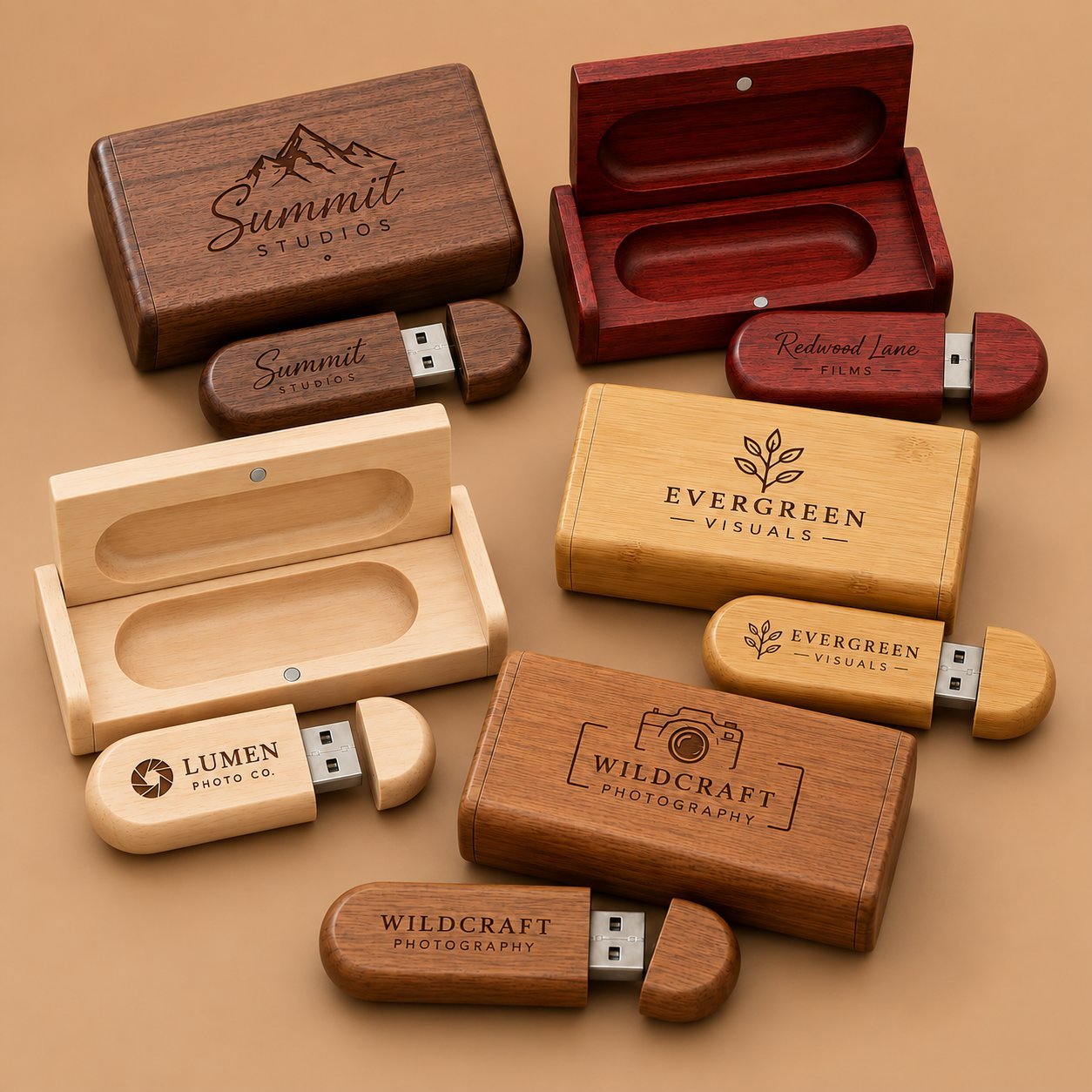
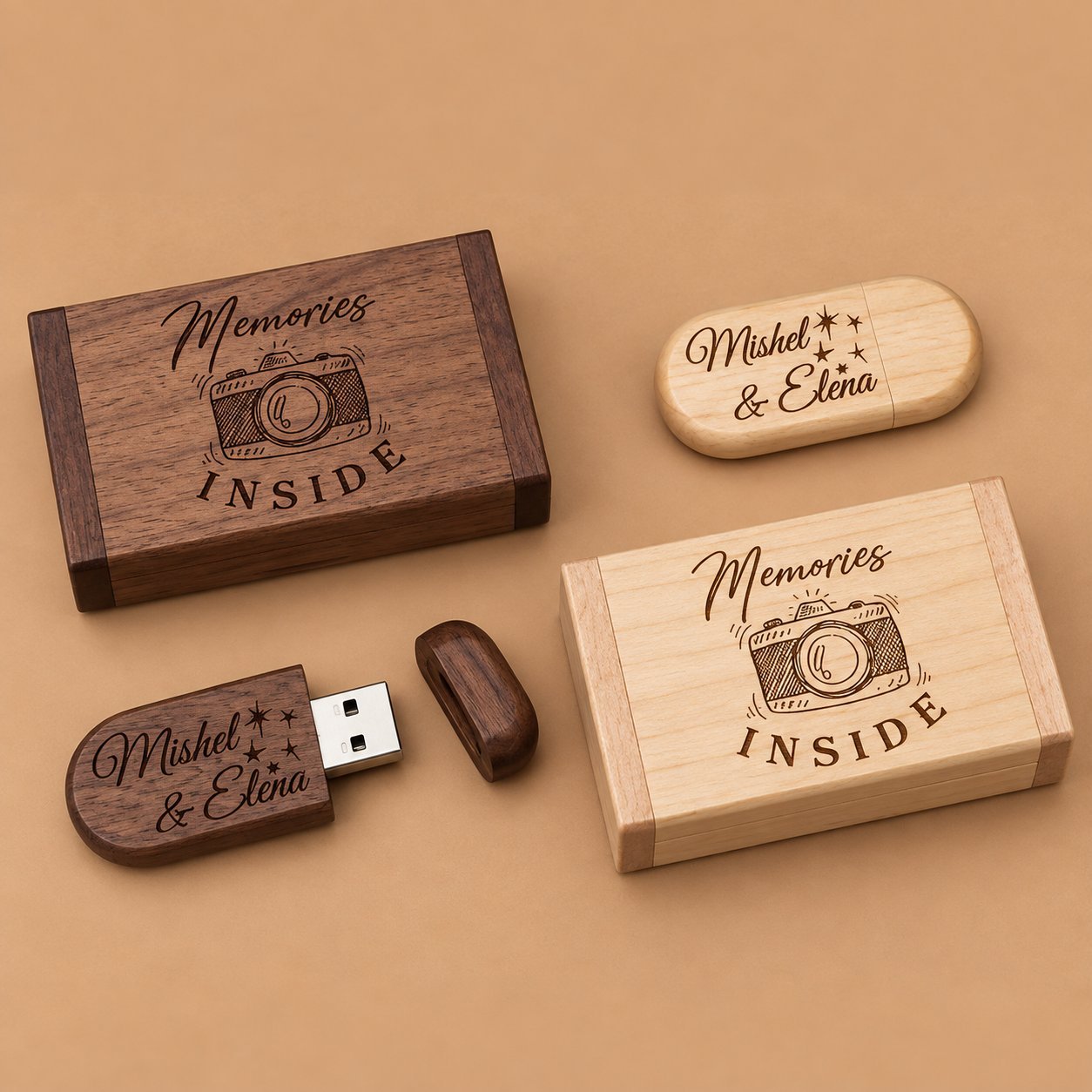
Bevor die Bestellung versendet wird, fordern Sie eine Stichprobenprüfung vor dem Versand anhand Ihrer ursprünglichen Liste an, nicht nur eine Gesamtstückzahl. Eine übereinstimmende Stückzahl sagt Ihnen nicht, ob Jordans Stick in Amaras Box gelandet ist. Bitten Sie um eine Stichprobe von Paarfotos oder eine schriftliche Bestätigung, dass Paare zeilenweise gegen Ihre Liste geprüft wurden, bevor der Versand das Werk verlässt. Zu den umfassenderen Fragen, die Sie jedem Lieferanten zu Inspektions- und Verifizierungsschritten vor einem Großlauf stellen sollten, bietet dieser Leitfaden zur Bewertung des Qualitätsprozesses eines USB-Stick-Lieferanten behandelt den Bereich über die Personalisierung hinaus im Besonderen.
Häufig gestellte Fragen
Kann wirklich jeder Stick in einer Bestellung einen anderen Namen haben?
Ja, dies ist eine unterstützte Anpassung gemäß YOUSAN’s Namensdruck-Seite für Text wie Namen, Daten und kurze Nachrichten. Was Sie auf Ihrer Seite verwalten müssen, ist die Liste selbst: Format, Kennungen, Datenverarbeitung und Proofing, damit die Fabrik saubere Daten hat. Bestätigen Sie den unterstützten Zeichensatz für Ihre spezifische Liste, bevor Sie sie finalisieren, und reichen Sie Ihre Menge und Personalisierungsfelder ein, um zu bestätigen, wie ein listenbasierter Auftrag für Ihre Losgröße funktioniert.
Was passiert, wenn ein Name ein Akzentzeichen hat oder nicht auf Englisch ist?
Markieren Sie es, bevor Sie Ihre Liste finalisieren. Einige Zeichen und Schriften gravieren sauber und einige nicht, je nach Schriftart und Verfahren. Nehmen Sie daher nicht an, dass jedes Zeichen in Ihrer Liste gleich verhält. Trennen Sie ungewöhnliche Einträge aus und bestätigen Sie sie spezifisch vor der Produktion.
Muss ich jeden einzelnen Eintrag prüfen oder nur ein Muster?
Bei weniger als einigen Dutzend Namen prüfen Sie jeden Eintrag anhand Ihrer Quellliste. Bei größeren Chargen fordern Sie mindestens Proofs über eine repräsentative Streuung Ihrer Liste an, nicht nur die ersten Zeilen, und verifizieren Sie stets anhand Ihrer eindeutigen Bestellnummern, nicht allein anhand der Namen.
Wie halten Sie den richtigen Stick mit der richtigen Box zusammen?
Dies hängt von einem physischen Abgleichschritt ab, normalerweise einer gemeinsamen Kennung, die sowohl auf den Stick als auch auf seine Box vor der Verpackung aufgebracht wird, plus einem Verifizierungsdurchlauf vor dem Versand. Fragen Sie Ihren Lieferanten direkt, wie er dies für personalisierte Chargen handhabt, da es ein separater Schritt vom bloßen Einsetzen eines Sticks in ein Box-Design ist.
Was, wenn ich einen Fehler finde, nachdem ich den Proof bereits freigegeben habe?
Fangen Sie es möglichst vor der Serienproduktion ab. Sobald Sie freigegeben haben, bedeuten Änderungen meist einen neuen Proof-Zyklus und eine Verzögerung – planen Sie also genug Zeit für mindestens eine vollständige Überarbeitungsrunde bei jeder Liste ein, die länger als eine Handvoll Namen ist.
Wie sollten wir die Namensliste selbst aus Datenschutzsicht handhaben?
Geben Sie nur die für die Produktion benötigten Felder weiter, verwenden Sie eine sichere Übertragungsmethode, begrenzen Sie, wer beim Lieferanten Zugriff hat, und klären Sie, was mit der Datei nach dem Versand der Bestellung geschieht — Löschung, Archivierung oder ein anderer vereinbarter Aufbewahrungszeitraum. Behandeln Sie eine Gästeliste oder Mitarbeiterliste genauso wie andere personenbezogene Daten, die Sie einem Anbieter übergeben.
Planen Sie einen Großlauf mit einem Namen pro Stick?
 Deutsch (Österreich)
  English
  Español de México
  Italiano
  Русский
  Français
  Türkçe
  Bahasa Melayu