
Desde la transición de toda la línea de Apple a USB-C, se ha producido un aumento de la personalización al por mayor de memorias USB-C como regalos para empresas y como parte de su material de oficina. A menudo, los clientes de personalización al por mayor deciden estandarizarse en un tipo de interfaz cuando se enfrentan a los diversos protocolos y aplicaciones de las memorias USB (iPhone y Apple Pro iPad, así como MacBook). Lamentablemente, como muchos clientes no entienden cómo elegir la interfaz adecuada para cada dispositivo, esto da lugar a dispositivos incompatibles.
Aunque todos los dispositivos Apple utilizan puertos USB-C, sus protocolos subyacentes, velocidades de transferencia y compatibilidad de funciones varían significativamente. Esto determina directamente los criterios de selección de las unidades flash:
Modelos de iPhone (todas las versiones posteriores al iPhone 12)
- Modelo base (16/16+): Sólo admite USB 2.0 (Velocidad de transferencia: aproximadamente 60mb/s)
- Todos los modelos Pro (16 Pro/Pro Max): Incluye USB 3.2 Gen2 (velocidad de transferencia: 1,25 GB/s). Se necesitan memorias USB de alta velocidad para obtener la máxima velocidad de transferencia.
- Todos los modelos cuentan exclusivamente con puertos USB-C y NO son compatibles con Thunderbolt.
- Nota: No es necesario buscar memorias USB compatibles con Thunderbolt, ya que sólo aumentarán el coste sin ninguna ganancia.
iPad Pros (M4/M5 y superiores)
- Los puertos USB-C admiten la expansión de periféricos. Los usuarios pueden conectar unidades de memoria flash directamente al iPad Pro para transferir archivos, etc.
- Muchos modelos son compatibles con USB 3.2 Gen2, lo que los hace adecuados para transferir archivos de gran tamaño (por ejemplo, archivos de vídeo 4K). Se requieren velocidades específicas cuando se utilizan unidades flash.
Serie MacBook (Air/Pro)
La mayor diferencia radica en la inclusión de la tecnología Thunderbolt:
- MacBook Air (M4): Equipado con Thunderbolt 4, que proporciona velocidades de hasta 40 Gbit/s.
- MacBook Pro (M4 Pro/Max): Equipado con Thunderbolt 5, con velocidades de transferencia de datos de hasta 120 Gbit/s.
- Las interfaces Thunderbolt no sólo aumentan la velocidad de transferencia de datos, sino que también admiten la carga inversa y la conexión de varios dispositivos externos a la vez.
- Requisitos: Las unidades flash necesitan la máxima compatibilidad y la mayor compatibilidad de protocolos para aprovechar al máximo estos potentes dispositivos.
El núcleo de la personalización masiva reside en "alinearse con las necesidades de uso + controlar los costes". Los distintos dispositivos responden a situaciones de uso diferentes, que requieren prioridades de selección totalmente distintas. Las recomendaciones específicas son las siguientes:
1. Compatibilidad con iPhone
Las necesidades básicas de los usuarios de iPhone suelen incluir copias de seguridad de fotos, transferencias de documentos pequeños y regalos. La personalización masiva debe equilibrar la practicidad con la visibilidad de la marca:
1.1 Selección de parámetros clave
- Protocolo: Los modelos básicos de iPhone pueden usar USB 2.0 para las necesidades diarias a un coste menor; para los usuarios de iPhone Pro, opta por USB 3.2 Gen2 para soportar transferencias de alta velocidad.
- Capacidad: entre 8 y 32 GB son suficientes para documentos y fotos cotidianos; entre 64 y 128 GB se recomiendan para almacenar vídeo ProRes.
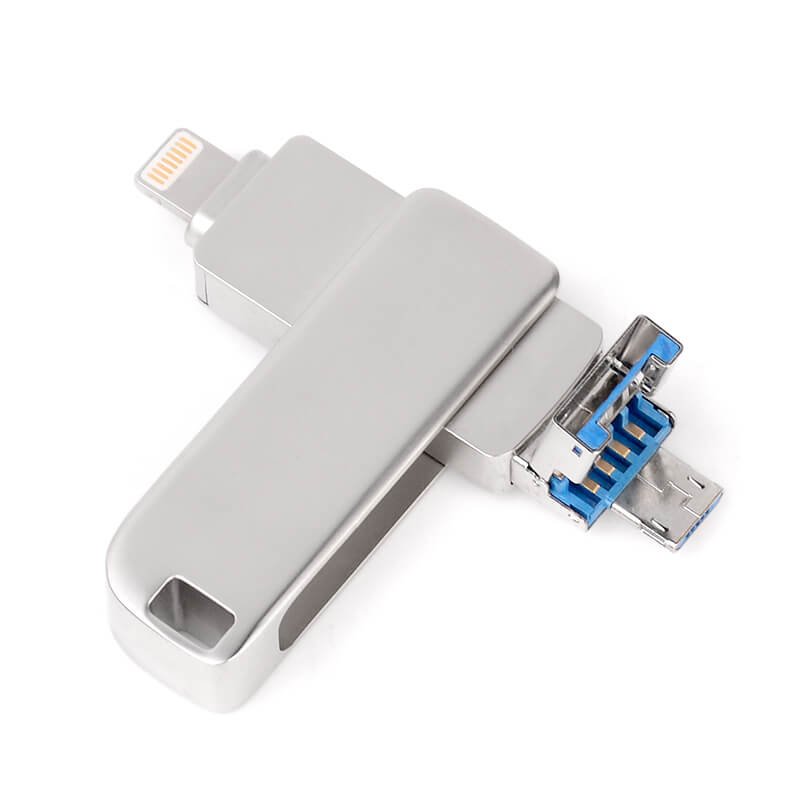
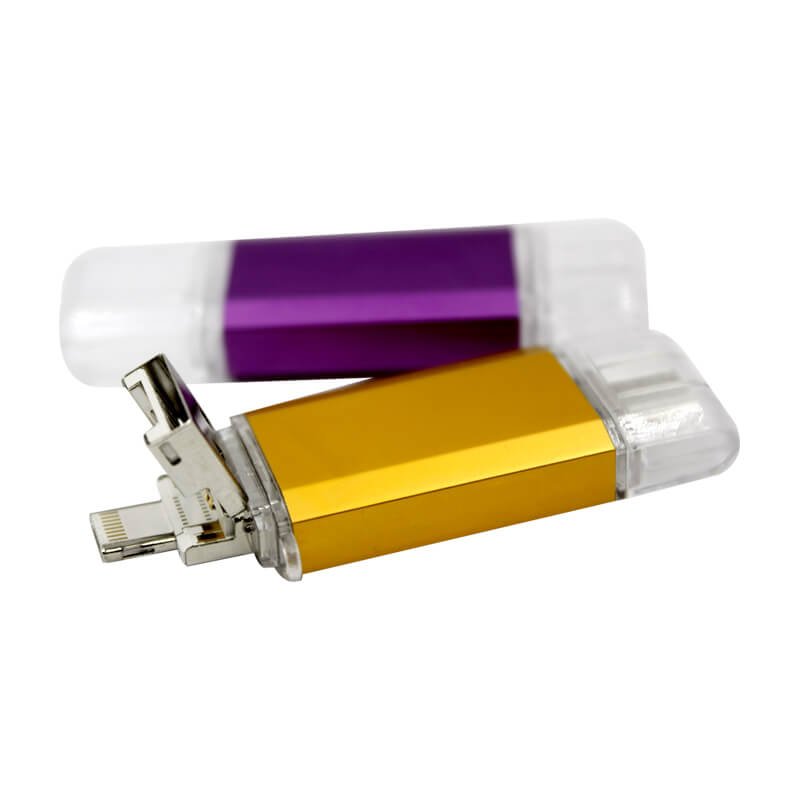
- Interfaz: Opta por puertos USB-C + USB-A duales (por ejemplo, diseño giratorio) para admitir tanto iPhones como ordenadores heredados, lo que mejora la versatilidad.
1.2 Recomendaciones sobre el proceso de personalización
- Material: Combinación de metal con plástico de ingeniería ABS para una portabilidad ligera. Las carcasas metálicas admiten impresión UV o grabado láser de logotipos de marca para una textura premium.
- Color: elija entre 11 colores básicos (negro, blanco, azul, rojo, etc.) para que coincidan exactamente con los colores de la marca VI y potencien el reconocimiento de la marca.
Evitar errores: Evite personalizar la unidad flash Thunderbolt usb c para iPhones - duplica los costes sin beneficios de rendimiento. Antes de la personalización, confirme que la unidad flash es compatible con el sistema de gestión de archivos de iOS para evitar problemas de reconocimiento.
2. Compatibilidad con iPad Pro
El iPad Pro se utiliza principalmente en entornos profesionales (diseño, edición de vídeo), lo que requiere una personalización masiva para satisfacer las demandas de transferencia de archivos de gran tamaño y uso a largo plazo:
2.1 Selección de los parámetros fundamentales
- Protocolo: Debe seleccionar USB 3.2 Gen2 o superior, con velocidades teóricas ≥10Gbps para garantizar una transferencia fluida de vídeos 4K y fotos en formato RAW.
- Capacidad: Recomendada de 32 GB a 256 GB; para la distribución de activos de diseño empresarial, personalice los modelos de alta capacidad de 512 GB a 1 TB.
- Velocidad de lectura/escritura: Velocidad de lectura ≥100MB/s, velocidad de escritura ≥60MB/s para evitar retrasos durante las transferencias de archivos grandes.
2.2 Recomendaciones sobre el proceso de personalización
- Material: La carcasa totalmente metálica (p. ej., aleación de aluminio anodizado) ofrece durabilidad, disipación térmica superior e idoneidad para un uso prolongado de alta frecuencia, al tiempo que realza la sensación de calidad superior de los regalos de empresa.
- Funcionalidad: Cifrado personalizable o servicios de datos precargados. Almacene plantillas de diseño corporativo o materiales de formación directamente en la unidad flash para que el usuario tenga acceso inmediato.
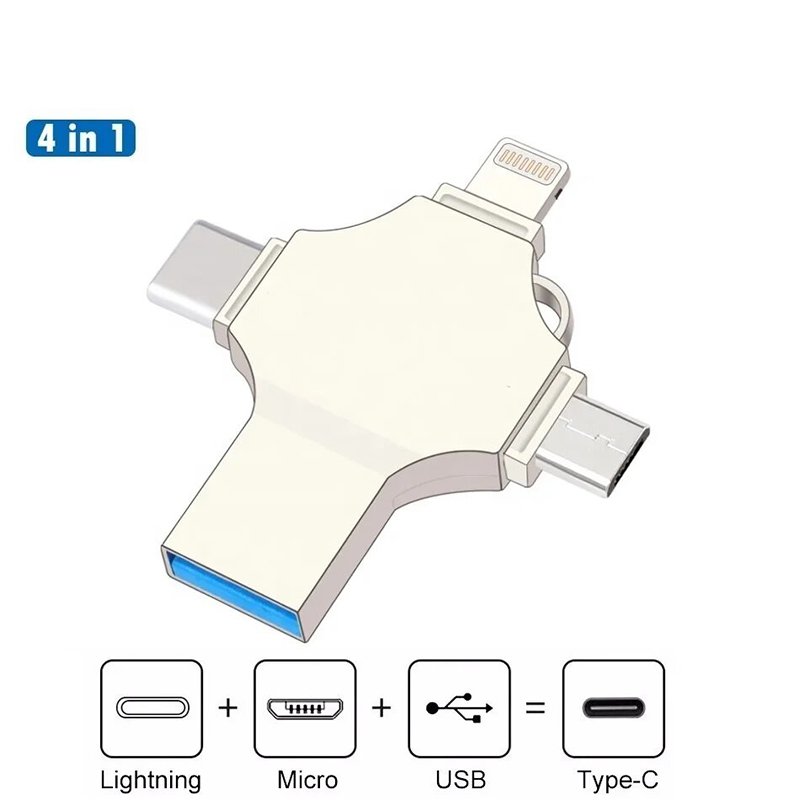

Asegúrese de elegir cuidadosamente la unidad flash usb-c para ipad pro chips que planea utilizar para su nuevo iPad Pro de Apple, y pruebe sus chips seleccionados para la compatibilidad con el sistema de archivos del iPad Pro antes de realizar un pedido al por mayor, ya que algunas marcas menos costosas pueden no ser capaces de soportar el sistema de archivos que está tratando de utilizar.
3. Compatibilidad con MacBook
El puerto Thunderbolt del MacBook ofrece potentes prestaciones. Para una personalización a gran escala, aprovecha al máximo sus ventajas mientras equilibras el uso en la oficina y las necesidades de compatibilidad con varios dispositivos:
3.1 Selección de parámetros básicos
- Protocolo: Da prioridad a las unidades flash compatibles con los protocolos Thunderbolt 4/5 para satisfacer las demandas de transferencia de alta velocidad del MacBook. Si el presupuesto es limitado, selecciona al menos USB 3.2 Gen2 para garantizar una transferencia de alta velocidad básica.
- Capacidad: Opta por 16GB-64GB para uso de oficina, 128GB-2TB para trabajos profesionales de diseño/vídeo.
- Interfaces: Puertos duales (USB-C + USB-A) o multipuertos (HDMI adicional/ranuras para tarjetas SD) para compatibilidad con MacBooks, PC tradicionales, proyectores y otros dispositivos, mejorando la versatilidad.
3.2 Recomendaciones de personalización
- Material: Construcción unibody totalmente metálica resistente a caídas y golpes, ideal para entornos de trabajo móviles; admite grabado láser para logotipos de alta definición resistentes al desgaste.
- Embalaje: Caja de regalo premium personalizable con manual de marca, ideal como regalo de empresa de alta gama para clientes o empleados.
Consejos para evitar problemas: Compruebe la compatibilidad de la unidad flash usb c para macbook con macOS; algunas unidades específicas de Windows pueden tener incompatibilidades de formato. Las unidades con protocolo Thunderbolt tienen un coste más elevado; calcula el presupuesto antes de hacer pedidos al por mayor.
Independientemente del tipo de dispositivo, la personalización por lotes requiere prestar atención a los siguientes puntos clave para evitar escollos:
- Cantidad mínima de pedido y coste: La mayoría de los fabricantes ofrecen precios al por mayor para pedidos ≥100 unidades, con costes unitarios inferiores para tiradas personalizadas mayores. Dé prioridad a los fabricantes con capacidad OEM/ODM para realizar ajustes de configuración flexibles y controlar los costes.
- Requisitos del archivo de personalización: Proporcione archivos de diseño de alta resolución (AI, CDR, EPS, etc.). Evite tamaños de texto excesivamente pequeños para evitar una impresión/grabado borrosos. Solicite muestras de preproducción para confirmar que la calidad del logotipo cumple las expectativas.
- Calidad y asistencia posventa: Seleccione productos certificados por FCC, CE y ROHS para garantizar su conformidad. Exija una garantía mínima de 1 año con políticas de devolución/cambio para evitar problemas de calidad no resueltos tras pedidos masivos.
- Errores a evitar: Rechace las "unidades sobrevaloradas". Realice pruebas de muestreo aleatorias antes de los pedidos masivos para verificar la capacidad real y las velocidades de lectura y escritura (utilice herramientas como CrystalDiskMark). Firme contratos formales en los que se especifiquen los detalles de personalización, los plazos de entrega y las condiciones de garantía.
| Dispositivos compatibles | Protocolos básicos | Capacidad recomendada | Funciones personalizadas |
|---|---|---|---|
| iPhone | USB 2.0/3.2 Gen2 | 8 GB-128 GB | Portátil, ajuste de color VI, doble interfaz |
| iPad Pro | USB 3.2 Gen2 y superior | 32 GB-1 TB | Función de encriptación de alta velocidad y totalmente metálica |
| MacBook | Thunderbolt 4/5/USB 3.2 Gen2 | 16 GB-2 TB | Compatibilidad total de protocolos, multiinterfaz, embalaje en caja de regalo |
Para la personalización masiva de memorias USB-C, prioriza la compatibilidad del dispositivo y las necesidades del escenario (en línea con los requisitos básicos de los iPhones/iPad Pros/MacBooks de Apple) sobre la búsqueda ciega de las mejores especificaciones. Esto equilibra el control de costes con un doble beneficio: practicidad y potencial de marca. Solicite muestras al fabricante para probarlas primero y verificar la compatibilidad total del dispositivo antes de proceder a la personalización masiva.

 Español de México
  English
  Italiano
  Deutsch (Österreich)
  Русский
  Français