
Cosa sono le schede musicali USB?
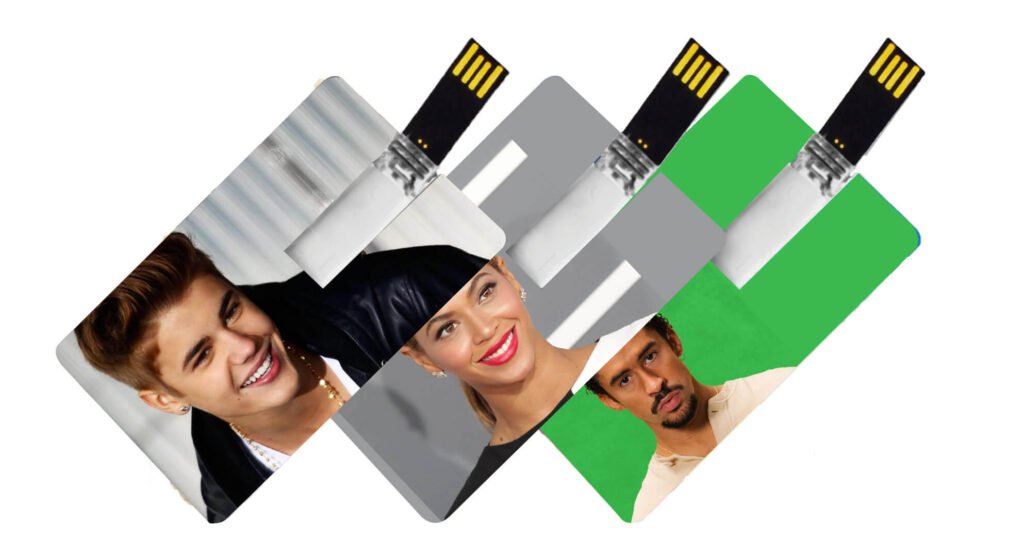
A card musicale USB, o card USB musicale, è una card con supporto di memorizzazione a chip, simile alle chiavette, che archivia musica audio in un design portatile ed è uno strumento essenziale per la promozione del marchio (card musicali personalizzate aziendali con jingle del marchio o audio promozionale). Regali (card musicali festive o merchandising di card musicali d'album).
Sembra una chiavetta USB a forma di carta di credito che salva canzoni e video sulla chiavetta tramite una macchina di copia.
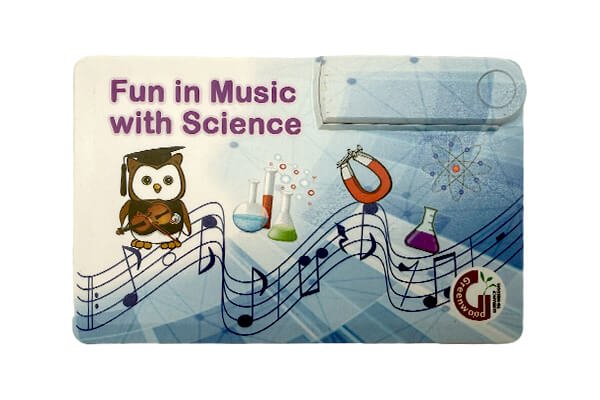
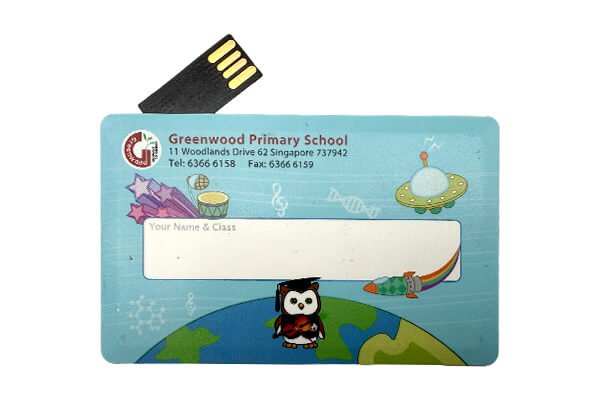
Il schede musicali usb sono il modo perfetto per rendere disponibili i tuoi file audio o video in una confezione ordinata a una base di clienti che potrebbe non usare più un vero lettore CD. Queste attraenti card USB hanno le dimensioni di una carta di credito standard e di solito vengono stampate su entrambi i lati con le stesse foto, il logo e le informazioni che avevi sulla copertina del CD. C'è una piccola linguetta che fuoriesce da un'estremità della card e si inserisce in qualsiasi slot USB, così gli utenti possono accedere facilmente a qualsiasi contenuto che ci fai pre-caricare.
Come fare l'unità usb della carta musicale?
Quando crei chiavette USB musicali, scegli il modello che intendi usare in base all'uso previsto (da tenere per uso personale/da regalare a qualcuno/uso commerciale). Scegli tu stesso l'aspetto della tua chiavetta. Trasferisci sulla chiavetta la musica raggruppata più gli altri file necessari per farli funzionare. Assicurati di testare su più dispositivi e che la musica sia compatibile, che la riproduzione sia di qualità su tutti i dispositivi, le velocità di scrittura e lettura, la durata dell'esterno e qualsiasi altra caratteristica speciale. Nel caso della produzione in massa, assicurati di avere specifiche standardizzate di qualità, di non sbagliare per quanto riguarda il copyright musicale e di portare a termine con un imballaggio a tema.
1. Preparare la chiavetta USB + Contenuto
| Nome | Standard | Nota |
| Scheda unità flash usb | USB della carta dell'ABS (85*54*8mm), capacità basata sulla quantità di musica, USB2.0 o USB3.0 può scegliere 100 canzoni: 16GB 200-500 canzoni: 16GB | logo personalizzato |
| Computer | Eseguire il software, elaborare la musica e configurare i file. | Compatibile con Windows/Mac, richiede un'interfaccia USB 2.0 o superiore |
| Software di elaborazione dei contenuti | Convertitore di formati musicali Gestione di playlist e tag Strumento di gestione dei file in batch Strumento di rilevamento delle unità USB e di verifica delle prestazioni |
2, Elaborazione dei file musicali per la riproduzione plug-and-play
L'elaborazione dei file musicali e il loro salvataggio nell'unità USB della scheda è il compito principale della creazione di un'unità USB della scheda musicale. Questa operazione è fondamentale per risolvere problemi come il "mancato riconoscimento del dispositivo" e i "problemi di riproduzione", garantendo una riproduzione musicale più fluida.
Conversione del formato musicale: Garantire la compatibilità con più dispositivi
- Selezionare i propri file sorgente: Usa quanto più possibile file mp3 (il 99% dell'hardware funzionerà). Se crei file musicali in formato lossless, come FLAC o APE, convertili in mp3 usando il piccolo software chiamato Format Factory: apri Format Factory → seleziona «Audio» → «MP3» → poi clicca su «Add Files» → imposta il bitrate desiderato (128kbps va bene per l'auto, o 320kbps se vuoi una qualità migliore) → clicca su «OK» per avviare la conversione.
Ma se vuoi mantenere la qualità lossless, salva i file secondari come WAV (potresti avere sistemi audio domestici che preferiscono leggere WAV). Nota: un singolo file WAV occuperà circa 40-50MB di spazio.
Organizzazione dei file musicali: Categorizzazione e ordinamento
- Crea cartelle: Sul desktop del tuo computer, crea cartelle chiamate «Scopo / Genere» (ad esempio «Canzoni pop per auto», «Musica ambient per dormire») così non butti tutto direttamente nella directory root della chiavetta USB.
- Denominazione dei file: Scegli un tipo di formato nome: «Numero sequenza – Artista – Titolo canzone.mp3» (ad esempio «01 – Lisa – The Blue Sky.mp3»). Numerale in modo che suonino in ordine sul dispositivo! Usa caratteri inglesi se possibile (non simboli speciali come «★» e «@»).
- Batch Organization: Per chi ha molta musica, puoi raggruppare le canzoni in un «strumento di rinomina batch dei file» (come Total Commander) per aggiornare rapidamente il formato dei nomi dei file e risparmiare tempo.
3. Fase di personalizzazione e montaggio
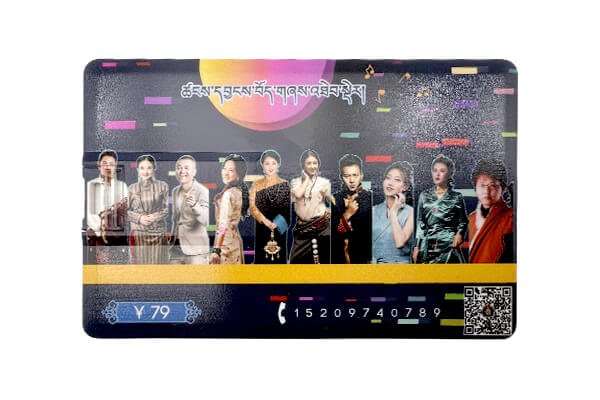
Migliora i materiali della chiavetta USB a forma di card con personalizzazioni per rafforzare la sua «identità musicale», unendo praticità e stile. Loghi personalizzati e messaggi promozionali specifici per eventi possono adornare entrambi i lati, mentre l'intera chiavetta USB a forma di music card supporta una brillante stampa a colori su entrambi i lati. Hai canzoni, artisti, informazioni promozionali, persino codici QR in stampa di alta qualità.
1. Personalizzazione dell'aspetto: Incorporare elementi legati alla musica
- USB Front: Music note (♪) icon, headphone icon + core text: ad es. «La mia playlist personale», «Libreria musicale commemorativa della laurea 2025», ecc. (potresti anche stampare miniature delle copertine degli album o firme degli artisti per uso dei fan). Potresti fare qualche scelta di colore in più per assicurarti che il motivo si fonda con il rivestimento della chiavetta USB quando stampato. Retro della chiavetta USB: specifiche: «Capacità: 32GB | Formati supportati: MP3/WAV | Interfaccia: USB 2.0»;
- Processo di ordine: Invia i file di design alla fabbrica USB/fornitore di personalizzazione → approva la prova del campione (controlla solo che il motivo sia nitido, il testo ancora leggibile, ecc.) → processo di produzione (dovrebbe richiedere solo 3-5 giorni per il completamento).
Montaggio: Trasferimento del contenuto preparato su unità USB
Successivamente, con la chiavetta USB collegata al computer e riconosciuta (usa l'interruttore di protezione da scrittura sulla posizione «sbloccato» se applicabile), apri la chiavetta e copia la «cartella Musica» preparata, più «autorun.inf» (se usato) e il «file icona .ico» (se usato), nella directory root di questa chiavetta master. Se copi da chiavetta a chiavetta con la chiavetta in una macchina di duplicazione, usa Espelli hardware in modo sicuro dopo la copia in massa facendo clic con il tasto destro sulla chiavetta.
Schede musicali USB Type-C compatibili con i telefoni cellulari
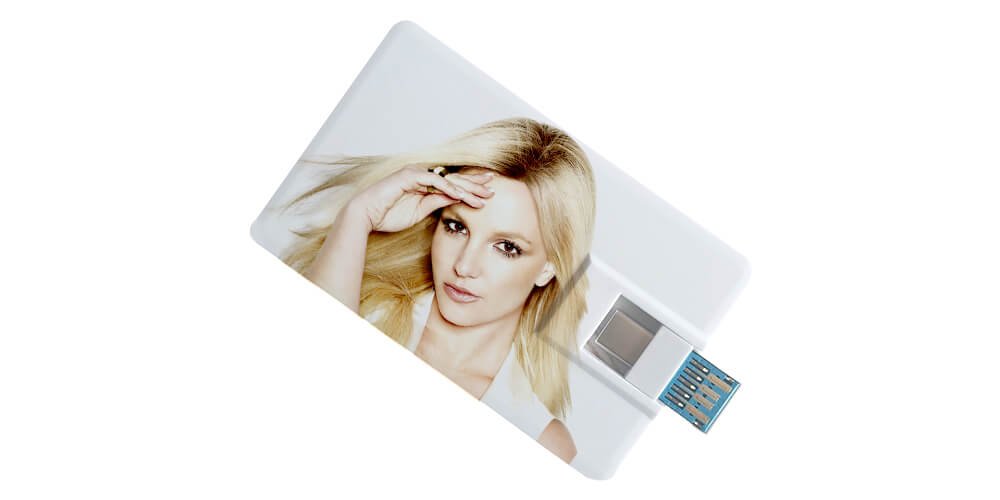
Questo Card musicale USB Type-C è molto richiesta! Grazie all'interfaccia USB-C per un accesso plug-and-play ai telefoni cellulari, non serve alcun adattatore. Basta collegarla al telefono e ascoltare le canzoni del tuo cantante preferito! Sottile e a forma di carta, scivola facilmente nel portafoglio. Usala in viaggio, mentre fai acquisti o in pausa, e tirala fuori in qualsiasi momento per goderti la musica del tuo artista preferito!
In sintesi, card musicali USB non sono solo omaggi, sono anche pubblicità. Se intendi usarle, è meglio conoscere il tuo pubblico e renderle accattivanti.
 Italiano
  English
  Español de México
  Deutsch (Österreich)
  Русский
  Français
  Türkçe
  Bahasa Melayu