
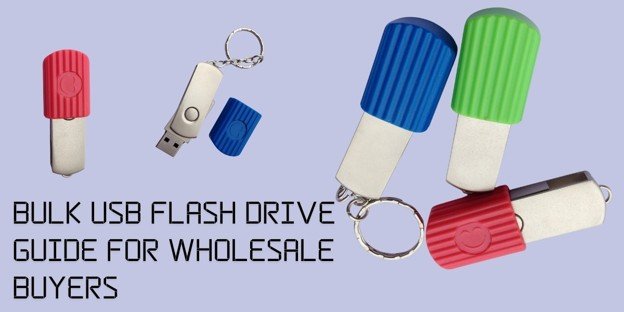
Die meisten Großhandels-USB-Stick-Bestellungen gehen schon vor Produktionsbeginn schief – falsche Kapazitätsspezifikation, keine Musterfreigabe, Vertrauen in ein Handelsunternehmen in der Annahme, es sei eine Fabrik. Dieser Leitfaden deckt jeden Entscheidungspunkt von der ersten Anfrage bis zur endgültigen Lieferung ab, damit Ihre nächste Großbestellung gelingt.
1. Fabrik oder Zwischenhändler? Wissen Sie, von wem Sie wirklich kaufen
Eine Fabrik fertigt Ihre Sticks. Eine Handelsfirma verkauft sie weiter. Genau dieser eine Unterschied entscheidet, ob Ihre Bestellung glattläuft oder scheitert.
Die Fabrik betreibt die Formmaschinen, bindet die Chips und legt die echte Mindestbestellmenge basierend auf dem fest, was die Linie produzieren kann. Wenn eine Fabrik ein Logo außermittig druckt, wird das Problem an der Quelle korrigiert. Eine Handelsfirma sitzt zwischen Ihnen und dieser Linie. Sie fügt jeder Einheit eine Marge hinzu. Sie kann Ihre Beschwerde nur weiterleiten und beten, wenn in der Produktion etwas kaputtgeht.
Wie unterscheiden wir sie also? Fragen Sie nach der Fabrikzertifizierung. Fragen Sie nach einem aktuellen Fabrik-Auditbericht. Lassen Sie sich Live-Produktionsbilder Ihres Gehäuses auf der Werkbank zeigen, keine Katalogbilder aus dem Bestand. Eine echte Fabrik antwortet in wenigen Stunden; ein Zwischenhändler lässt sich Zeit.
Ein solches Beispiel ist ein Händler für Werbeartikel. Er kaufte 8.000 Sticks von einem Lieferanten, den er für eine Fabrik hielt. Die ersten 2.000 Einheiten lasen sauber; die nächste Charge hatte lose USB-Anschlüsse, die sogar im Anschluss wackelten. Da niemand, der dort arbeitete, jemals die Produktionsfläche betreten hatte, konnte der Lieferant ihnen keine Erklärung dafür geben. Sie hatten von einem Scheinhersteller gekauft, der sich als Handelsunternehmen ausgab.
Wenn Sie in großen Mengen kaufen Werbe-USB-Sticks , kaufen Sie direkt beim Hersteller, der den Kunststoff in eigenen Fabriken fertigt.
2. Wie viel Speicherkapazität Sie tatsächlich benötigen
Wer die Speicherkapazität an die eigenen Dateien anpasst, spart Geld und Retouren. Diese Entscheidung richtet sich nach dem Anwendungsfall, nicht nach dem Preis. Eine Kostenaufschlüsselung finden Sie auf unserer Kostenleitfaden für individuelle USB-Sticks 2026.
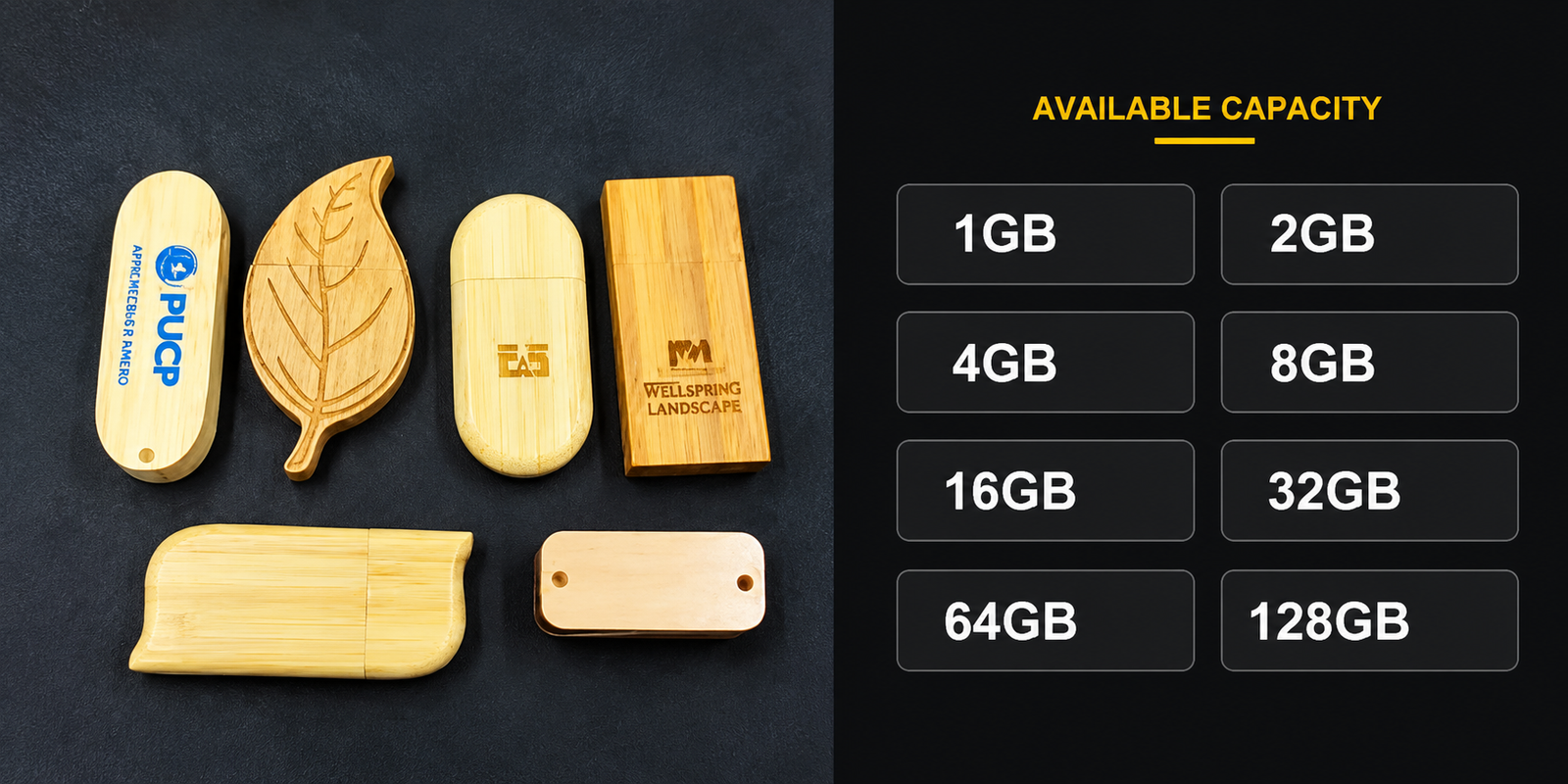
Nur Dokumente und PDFs? 8GB reichen für die meisten Unternehmensdokumentensätze. Videoinhalte vorinstallieren? Steigen Sie je nach Auflösung und Laufzeit auf 32GB oder 64GB um – ein einziges 1080p-Schulungsvideo verbraucht mehr Platz als hundert PDFs zusammen. Software-Installationsprogramme und Werkzeugkits passen normalerweise in 16GB bis 32GB. IT-Bereitstellung ist der Schwergewichtler: Bootfähige Betriebssystem-Images, Wiederherstellungspartitionen und Diagnose-Suiten wollen 64GB bis 128GB.
Hier lauert die Falle. Bestellen Sie mehr Speicherkapazität, als Ihre Dateien benötigen, verschwenden Sie Budget für leeren Platz. Bestellen Sie weniger, passen die Dateien nicht hinein – die Sticks kommen zurück, und die Nachbestellung kostet Sie einen Termin.
Ein Medizintechnikunternehmen spürte beide Seiten dieses Fehlers. Sie bestellten 4.000 Sticks mit 8 GB, um vorinstallierte Installationssoftware an Kliniken zu versenden. Der Installer plus das Kalibrierungsvideo ergaben insgesamt 11 GB, sodass die Dateien nicht geladen werden konnten – und die Produktion war bereits abgeschlossen. Sie bestellten mit 32 GB neu und verpassten ihren Produktlaunch um drei Wochen.
Wenn Sie unsicher sind, wie Dateitypen auf Gigabyte abgebildet werden, unser USB-Speicherkapazität Aufschlüsselung führt Sie durch. Zum Chip hinter dieser Kapazität lesen Sie unseren Leitfaden zu USB-Flash-Chips.
3. So gelingt Ihr Logo bei großen Stückzahlen
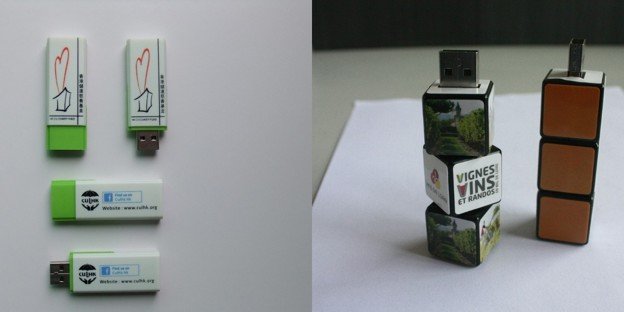
Drei Methoden dominieren das Branding im Großhandel: Siebdruck, Lasergravur und UV-Druck. Jede verhält sich bei großen Mengen anders.
Siebdruck: Gut für ein günstiges flaches ein- oder zweifarbiges Logo über sehr viele Einheiten hinweg, daher schnell. Lasergravur ätzt das Gehäuse statt es zu beschichten, sodass die Markierung nie abreibt. Sie kostet mehr pro Einheit und verlangsamt die Linie, weil jeder Stick einzeln unter dem Laser sitzt. UV-Druck bewältigt vollfarbige Kunstwerke und Farbverläufe, die der Siebdruck nicht kann, fügt aber bei großen Auflagen Einrichtungszeit hinzu.
Achten Sie auf die Pantone-Gebühr. Fabriken haben für jede einzelne Pantone-Farbe Farbabstimmungskosten und berechnen Ihnen eine Gebühr pro Produktionslauf. Wenn Ihre Markenrichtlinien eine perfekte Übereinstimmung des Firmenblaus für drei Elemente im Logo vorschreiben, sind das immer noch drei Farbabstimmungen, die Sie auf einmal einplanen müssen.
Genau das lernte eine Regionalbank auf die harte Tour. Diese Sticks wurden als Teil eines Kundenbindungsprogramms gekauft, das ein unveränderliches dreifarbiges Logo erforderte. Während der Angebotsphase fragte niemand nach der Farbabstimmung. Als die Vorversand-Rechnung eintraf, enthielt sie eine Pantone-Gebühr, die sie nie in Betracht gezogen hatten, und die Finanzabteilung musste eine Notgenehmigung für die Zahlung einholen, um mit ihrer Bestellung fortzufahren.
Fragen Sie vor dem Druck nach der Farbanzahl. Sehen Sie sich Logo-USB-Sticks um zu entscheiden, welches Verfahren zu Ihrer Marke passt.
4. Warum Ihre Verpackungswahl Ihre Frachtrechnung beeinflusst
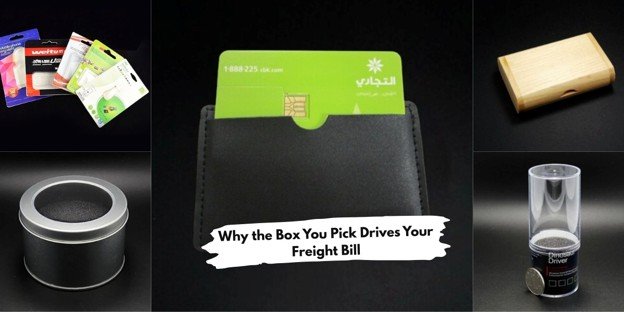
Nicht zu verwechseln mit Einzelhandelsverpackungen: Großhandelsverpackungen sind speziell für die Distribution in Großmengen gedacht. Sie bewegen Tausende von Stücken, und die gewählte Box beeinflusst sowohl Ihre Lieferzeit als auch Ihre Frachtrechnung.
Der günstigste und schnellste Weg ist die Großverpackung in Tray-Packungen. Sticks liegen in geformten Trays, bereit für die nachgelagerte Verpackung durch Sie. Jeder Stick wird auch in einzelnen Polybeuteln versiegelt – sie sind der Großhandelsindustriestandard; staubfrei und bereit zur Verteilung. Dies erhöht sowohl die realen Kosten als auch die Lieferzeit, verwenden Sie sie daher nur für Premium-gebrandete Serien, wenn sich die Präsentation auszahlt. Individuell zugeschnittene Schaumstoffeinlagen in der Form des von Ihnen gewählten Sticks benötigen mehr Produktionszeit als die Fertigung der Speichereinheit selbst, da jede einzelne ausgestanzt und in ihre eigene kleine Box eingepasst werden muss.
Und genau hier liegt der Teil, den Käufer übersehen. Ein Stick wiegt ein paar Gramm. Eine Geschenkbox mit Schaumstoffeinsatz kann zehnmal so schwer sein. Multiplizieren Sie das mit Tausenden von Stücken, und Sie haben hohe Frachtkosten.
Aber unsere starre Geschenkbox wird von einer Eventagentur für 10.000 Werbegeschenke auf einer großen Konferenz verwendet, einfach weil sie auf dem Tisch erstklassig aussahen. Die gepackten Kartons schwollen in Größe und Masse im Vergleich zur Tablettverpackung an. Diesmal war das Angebot für den Seefracht so verrückt, dass sie die halbe Bestellung per Luftfracht schickten, und die Frachtrechnung kam dem Wert dieser Sticks sehr nahe.
Wählen Sie die Verpackung nach der Transportart der Sticks, nicht nur nach Optik. Prüfen Sie Ihre Optionen unter USB-Stick-Verpackung.
5. Dateien vor dem Versand der Sticks laden
Das Vorabladen erspart Ihrem Team, tausende Sticks einzeln von Hand zu bestücken. Die Fabrik lädt die Inhalte gegen eine geringe Einrichtungsgebühr direkt in der Produktion – und das weit schneller, als es intern je möglich wäre.
Standarddateiformate laden problemlos – PDF, MP4 und JPG funktionieren alle. Verschlüsselte Dateien erfordern eine spezielle Einrichtung; weisen Sie daher bei der Anfrage darauf hin. Sie können die Fabrik auch bitten, Dateien schreibgeschützt zu sperren, damit Empfänger Ihre Inhalte nicht löschen können. Das ist wichtig, wenn Sie einen festen Produktkatalog versenden und jeder Stick intakt bleiben soll.
Verifizieren Sie vor dem Versand. Fordern Sie immer ein vorinstalliertes Muster an und öffnen Sie jede Datei auf exakt den Geräten, die Ihre Empfänger verwenden. Auch die Geschwindigkeit zählt. Das Vorinstallieren auf USB-2.0-Sticks dauert viel länger als auf USB 3.0, und bei einer großen Auflage verlängert diese Differenz Ihr Lieferdatum.
Ein Bodenbelagshersteller übersprang die Verifizierung und zahlte dafür. Sie luden einen Produktkatalog auf 5.000 Sticks für ihre Vertriebsmitarbeiter vor. Niemand öffnete ein fertiges Stück zur Prüfung. Die Sticks wurden mit dem Katalog der letzten Saison versendet – eine veraltete Dateiversion, die aus dem falschen Ordner gezogen wurde. Fünftausend Sticks gingen mit den falschen Preisen, die in das PDF eingebacken waren, raus.
Wählen Sie USB-3.0-Sticks für große Vorladeaufträge, und prüfen Sie ein echtes Muster, bevor Sie die Produktion freigeben.
6. Wie eine Bestellung tatsächlich abläuft
Die Bestellung folgt einem klaren Ablauf. Wer einen Schritt überspringt, lädt sich Ärger ein.
Es beginnt mit Ihrer Anfrage. Senden Sie der Fabrik Ihre Menge, Speicherkapazität, Gehäusematerial, Logo-Details und Verpackungsanforderungen in einer Nachricht – je präziser Sie sind, desto enger kommt das Angebot zurück. Sobald Sie dieses Angebot erhalten, fragen Sie nach einem Vorproduktionsmuster, bevor Sie etwas genehmigen. Sie wissen schon: Stecken Sie den Stick ein und vergleichen Sie Ihr Artwork mit dem Logo.
Then approve the sample in writing. That written approval seals the spec, so no one argues afterward about what you were agreeing to. Following that, in order to initiate production you make a deposit (usually 30%). The factory must email through production photos halfway into the run and this is your time to verify logo placement and all those type of casing shade specs for every little thing that gets completed in full.
Lassen Sie vor dem Versand eine Stichprobe dieser Charge nehmen und durch H2testw laufen lassen – nur zu Ihrer eigenen Sicherheit, dass die Chips tatsächlich ihre angegebene Speicherkapazität halten. Danach begleichen Sie den Restbetrag, erhalten Ihre Versandbedingungen und die Sendungsverfolgung.
A regret of a software company that missed the sample step. They signed a spec sheet by email and went straight to the deposit. The drives came with the logo off in color on close inspection and a bit too large. No sample meant no early catch and the entire run had to be reprinted.
Käufer, die auf das Muster verzichten, sind die, die später mit Reklamationen zurückkommen. Beginnen Sie mit Ihrem Individueller USB-Stick jedes Mal mit Muster bestellen.
7. Was wir prüfen, bevor der Stick die Fertigung verlässt
Die Qualitätskontrolle entscheidet zwischen einer sauberen Lieferung und einer sofortigen Rücksendung. Vier Prüfungen decken nahezu alles ab.
Führen Sie zuerst eine Chargenstichprobe mit H2testw durch. Es schreibt und verifiziert Daten über die gesamte beanspruchte Speicherkapazität, was gefälschte oder aussortierte Chips aufdeckt, bevor sie das Fabrikgelände verlassen. Prüfen Sie als Nächstes das Logo – stimmen sie ausgerichtet überein und ist die Farbe gegenüber Ihrem freigegebenen Muster in Ordnung? Verifizieren Sie aber auch Ihre Kartongröße, da die falsche bei größeren Auflagen sehr häufig auftritt. Fahren Sie mit einem Funktionstest fort: Verbinden und lesen Sie auf den tatsächlichen Gerätetypen der Empfänger (Windows, Mac oder Android).
Vor dem Versand der Produkte testet YOUSAN jede Charge mit H2testw. Das bedeutet, wir verwenden Chips der A-Qualität mit einer Datenlebensdauer von 10 Jahren und 10.000 Nutzungszyklen – die auf dem Etikett angegebene Kapazität ist also die Menge, die Sie erhalten.
Ein Messe-Aussteller kürzte ein paar Tage von der Qualitätskontrolle vor dem Versand. Es wurden 3.000 Sticks geliefert, bei denen das Logo auf jedem einzelnen leicht schief gedruckt war. Kein Mustervergleich, kein Prüfbericht. Die erste Charge ging komplett zurück, und die Nachbestellung verfehlte ihre Veranstaltung.
8. Wer trägt Fracht, Zölle und Risiko
Ihre Lieferbedingung legt fest, wer Fracht, Zoll und Risiko trägt. Ein Fehler hier kostet mehr als jede Position im Angebot.
FOB Shenzhen bedeutet, dass Ihre Waren von der Fabrik auf das Schiff geladen werden und Sie die Verantwortung für Fracht und Import übernehmen. Es wird von erfahrenen Käufern bevorzugt, die eigene Spediteure haben. Bei EXW ist alles ab Werkstor – Sie erledigen Abholung, Export, Fracht und Import selbst. Sehen Sie dies als niedrigsten Fabrikwert und meiste Verantwortung. DDP dreht das um: Die Fabrik liefert bis an Ihre Tür mit Zöllen und Fracht inklusive; deshalb lieben es US-Käufer – weniger Papierkram.
EXW war die Wahl einer Boutique-Bekleidungsmarke, die ihren ersten Großeinkauf tätigte, weil EXW die niedrigste Fabrikzahl hatte. Dann kamen der Spediteur, die Exportpapiere und die Einfuhrzölle. Und jedes Geld, das sie bei gebrandeten Sticks für ihre Lookbook-Kampagne gespart hatten, verflüchtigte sich im Nu, als die Zollrechnung eintraf – genau als sie ankamen.
YOUSAN kalkuliert alle drei Incoterms – FOB Shenzhen, EXW und DDP – je nach Bestimmungsland und Präferenz.
Fragen, die Käufer uns stellen
Wie hoch ist die Mindestbestellmenge für USB-Sticks im Großhandel?
Die Mindestbestellmenge ist für jedes Gehäuse und jede Individualisierung unterschiedlich, aber fast jede Fabrik beginnt Großhandelsauflagen bei 100 bis 500 Stück. Höhere Mindestmengen gelten in der Regel für individuell geformte Gehäuse im Vergleich zu Standardmodellen. Bevor Sie die Bestellung planen, fragen Sie nach der Mindestbestellmenge für Ihren spezifischen Stick.
Wie überprüfe ich die Seriosität einer Fabrik, bevor ich eine große Bestellung aufgebe?
Fordern Sie die Werkszertifizierung und einen aktuellen Audit-Bericht an und verlangen Sie dann Live-Produktionsfotos Ihrer Bestellung. Echte Fabriken reagieren sofort und zögern nicht, ihren Produktionsbereich zu zeigen. Wenn sie ausweichen oder nur Lagerfotos senden, kommunizieren Sie wahrscheinlich mit einem Zwischenhändler.
Kann ich bei USB-Stick-Großbestellungen Daten ab Werk vorinstallieren lassen?
Ja, und es ist nur eine ganze Menge schneller, als sie selbst zu laden. Es bietet Standardbehandlung für PDF, MP4 und JPG und sperrt Dateien zudem schreibgeschützt, um zu verhindern, dass Empfänger den Inhalt löschen. Immer wieder: Gesunder Menschenverstand und Höflichkeit gebieten es, eine ganze Ladung Erinnerungen zu prüfen, bevor die gesamte Auflage in den Versand geht.
Welche Speicherkapazität eignet sich am besten für Werbe-Großbestellungen?
8 GB bis 16 GB funktioniert für die Mehrheit der Kampagnen bequem, besonders mit Werbe-Sticks, die Broschüren/Dokumente oder ein kurzes Markenvideo tragen. Der Inhalt ist zu leicht, als dass das jemals wirklich hilft, und Ihre Empfänger werden den zusätzlichen Speicherplatz ohnehin nie sehen. Jeder von uns, der jemals überdimensionierte Kapazität bereitgestellt hat und mit einem Haufen teilweise gefüllter Sticks endete, hat sich gefragt, warum.
Wie lange dauern Produktion und Versand einer Großhandelsbestellung von USB-Sticks?
Die Produktion dauert in der Regel 7 bis 15 Tage nach der Musterfreigabe, je nach Menge und Branding-Methode. Der Seefracht-Transport schlägt dann je nach Zielort mit zwei bis fünf Wochen zu Buche, während Luftfracht oder DDP schneller geht. Sichern Sie Ihr Muster frühzeitig, um den gesamten Zeitplan einzuhalten.
Bereit zu bestellen?
Teilen Sie uns Ihre Menge, Kapazität und Anforderungen mit, und YOUSAN senden wir Ihnen innerhalb von 24 Stunden ein Angebot direkt ab Fabrik. Kontaktieren Sie uns hier.
 Deutsch (Österreich)
  English
  Español de México
  Italiano
  Русский
  Français
  Türkçe
  Bahasa Melayu