
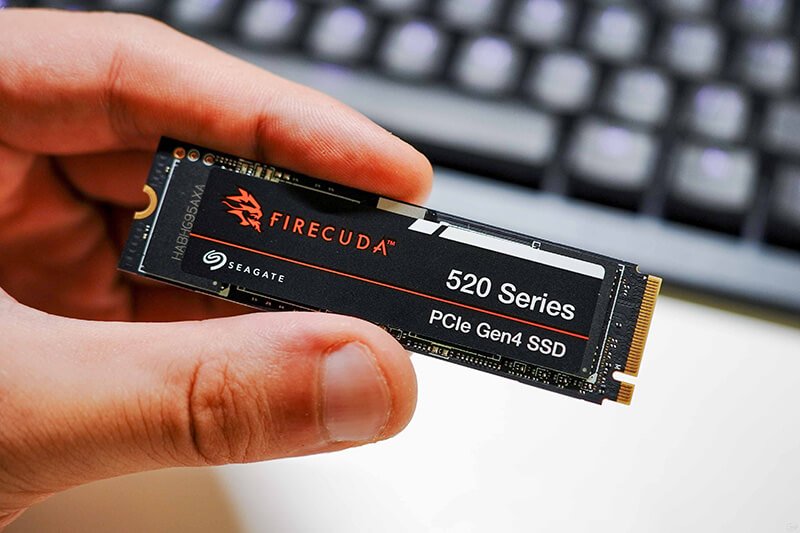
Solid-state drives (SSDs) which use flash memory chips for their storage medium. They’re intended to store everything from our photos to datadocuments, system programs and game install packages: the computer’s “high-speed electronic warehouse.”
Like a USB thumb drive, instead of retrieving information from spinning disks inside an HDD, an SSD transmits information via electronic signals, yielding much better performance and reliability since it has no moving mechanical parts.
In a way, it’s just a big chunk of the memory from your smartphone stuffed into a box.
1.Main Components of SSD
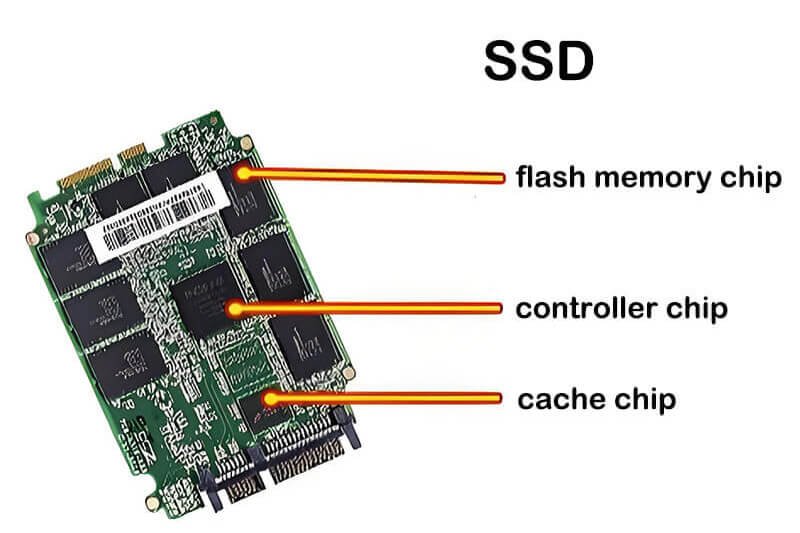
The structure of an SSD is not complex, with its core comprising three key components. Each part has a distinct function, working together to ensure efficient data storage and retrieval.
Specific details are outlined in the table below:
| Core Components | Key Functions | Layman’s Analogy |
|---|---|---|
| Flash Memory Chips | Core storage medium responsible for long-term data retention. Mainstream types include TLC, QLC, and SLC (Performance: SLC > TLC > QLC; Capacity: QLC > TLC > SLC) | “Shelves” in a warehouse, specifically designed to store goods (data) |
| Controller Chip | “Commander” for data reading and writing. Manages data storage locations, allocates read/write channels, and features wear-leveling technology (to extend chip lifespan) and error correction. | A warehouse manager who oversees the storage and retrieval of goods and maintains the service life of shelves |
| Interface & Circuit Board | The interface enables connection to the computer (Mainstream interfaces: SATA3, NVMe M.2; Transfer speed: NVMe M.2 > SATA3). The circuit board acts as a “connection line” to facilitate communication between components. | The “gate” (interface) and “internal passages” (circuit board) of a warehouse, ensuring smooth entry and exit of goods |
2.Main Features of SSDs
The advantages of SSDs are reflected in specific performance metrics, offering a more intuitive comparison with traditional mechanical hard drives (HDDs). Key differences are summarized in the table below:
| Feature Category | SSD Performance (Parameters) | HDD Comparison | Layman’s Intuitive Experience |
|---|---|---|---|
| Read/Write Speed | SATA3 interface: 500-600 MB/s; NVMe M.2 interface: 1000-3000+ MB/s | 100-200 MB/s | Boot time: 10-20 seconds (HDD takes 1-3 minutes); Copying a 4GB movie: only 10-20 seconds (HDD takes 1-2 minutes) |
| Shock & Drop Resistance | No mechanical parts; shock resistance rating up to 2000G (instantaneous) and 5-10G (sustained) | Has spinning disks; shock resistance rating around 100-300G (instantaneous) | Data is less likely to be lost if the laptop is dropped or moved, making it safer to carry |
| Operating Noise & Size/Weight | Thickness: 3-8mm; Weight: 10-30g; Zero noise during operation | Thickness: 20-25mm; Weight: 100-200g; Produces a “hum” from spinning disks during operation | Computers become thinner and lighter; completely quiet when used at night, without disturbing rest |
| Service Life | For TLC chips, write lifespan is typically 300-1000 TBW (Terabytes Written)—equivalent to 17-54 years of daily 50GB writes | Physical lifespan: 3-5 years (affected by disk wear and head aging) | Under normal use, it has a longer lifespan than HDDs and does not require frequent replacement |
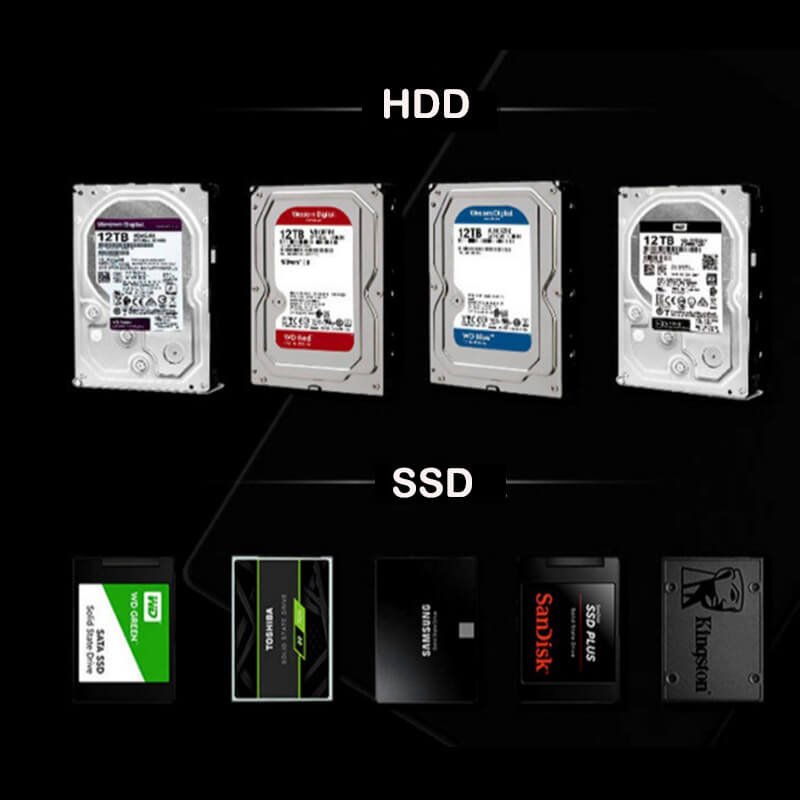
With its core architecture of flash memory chips and a controller chip, SSDs have four big benefits: faster, shockproof, noiseless, and tougher. Its key specifications dwarf those of a mechanical hard drive.
If you’re a novice and install an SSD—either in a new computer or as an upgrade to your Windows or Mac laptop or PC—you’ll see the biggest difference in how you use that machine: faster boot times, applications that launch more quickly, faster file transfers.
If you’re on a budget though, you may want to compromise and get a small SSD for Windows and any software you use all the time, and a mechanical hard drive for large files (like backups or HD movies you aren’t likely to use every day).

 English
  Español de México
  Italiano
  Deutsch (Österreich)
  Русский
  Français
  Türkçe
  Bahasa Melayu