
Metal USB drive or plastic USB drive is the first decision you make on almost every custom USB order, and it shapes your budget, your MOQ, and how the drive feels in someone’s hand months later. Neither material is universally better — the right choice depends on your audience, your budget, and what the drive needs to say about your brand.
Here is the quick version. Choose plastic USB drive for high-volume giveaways, tight budgets, and broad audiences — it keeps your unit cost low and your colors flexible. Choose metal for premium gifts, VIP recipients, and drives meant to last for years — its weight and finish carry your brand further. Both use the same chips inside, so neither is faster.

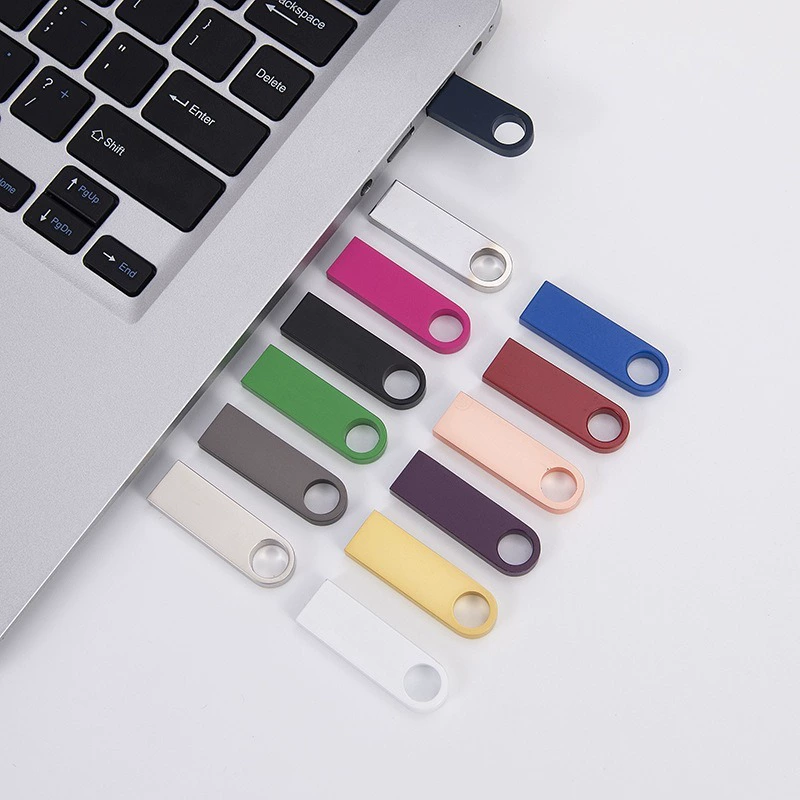
Metal USB Drives
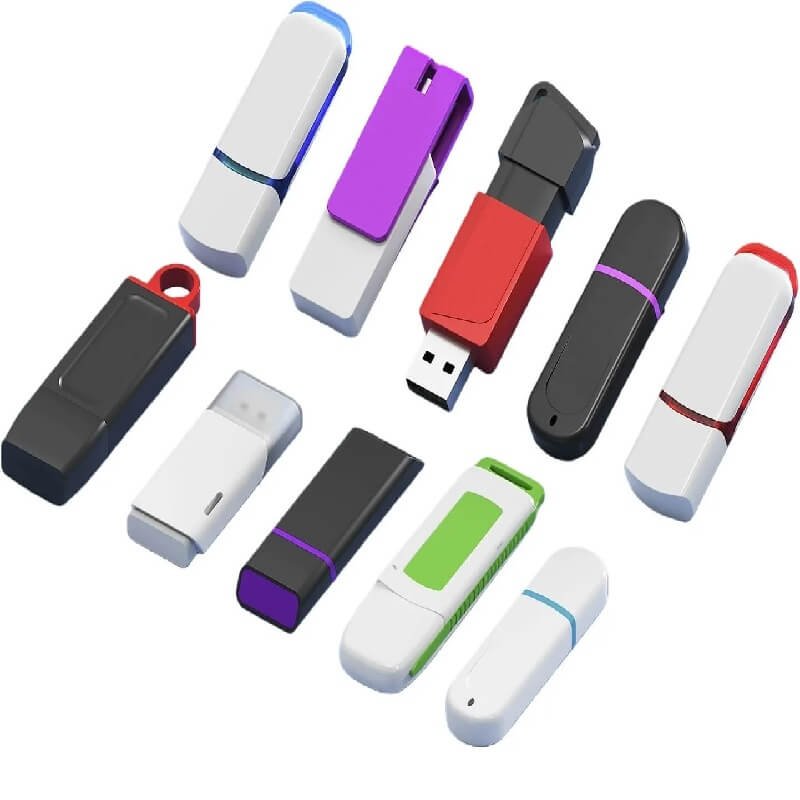
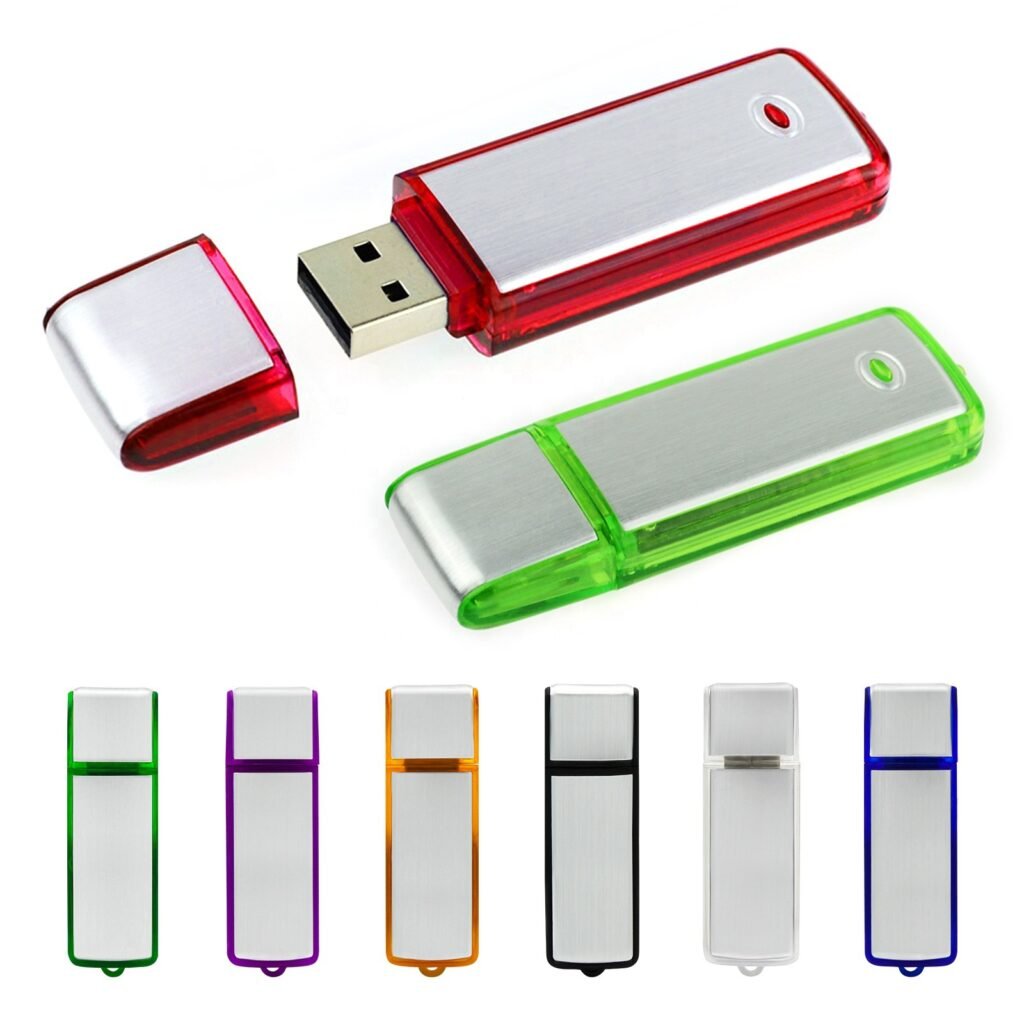
Plastic USB Drives
Since 2011, YOUSAN has been a direct-source factory, offering 300+ ready metal styles, Grade A chips, free design and samples, both materials in-house, and custom molds at just $50. So, here is a guide on when each one deserves to be added up to your order.
What You’re Actually Choosing Between Metal USB Drives and Plastic USB Drives
The following is what the majority of initial buyers do not anticipate: the casing is the only thing you change. All drives ordered, metal or plastic, are supplied with the same memory chip, controller and USB interface. A plastic USB drive is plugged into a laptop together with a metal USB drive and they read at the same speed and write at the same rate. The shell has nothing to do with performance.
Well, it’s really a matter of perceived value when it comes to metal versus plastic. The material determines the heft in someone’s hand, the durability of the casing after they add it to their key ring and the message your brand conveys the first time it’s picked up. Those things vary depending on the material. Data speed doesn’t.
Here is a brief tale to illustrate. A marketing buyer once placed an order for metal samples for a trade show, thinking that metal equated quicker, higher quality storage. On the machine she copied the same 2GB folder to a metal USB drive and a plastic USB drive when the samples arrived. The time it took to transfer was the same. This metal was more expensive but the information was transported the same. Her choice thereafter became easy – perception and durability, not speed.
So do not throw a dollar on tooling without keeping these in mind. It’s NOT the speed of the drive, it’s the casing.
Metal vs Plastic at a Glance
| Factor | Plastic USB drive | Metal USB drive |
|---|---|---|
| Unit cost | Lower | Higher |
| Mold cost | Lower | Higher, and rises with shape complexity |
| Feel | Light, everyday | Substantial, premium |
| Durability | Fine for light use | Stronger; resists drops and crushing |
| Color options | Almost any shade, translucent, two-tone | More limited, metallic finishes |
| Best for | Mass giveaways, tight budgets, broad audiences | VIP gifts, premium positioning, long-term use |
Where Plastic USB Drive Is the Smarter Call
When you are choosing based on quantity, plastic USB drive is the way to go. The cost of the mold is relatively low for a plastic shell and you won’t invest a ton of money in the tooling upfront before your first drive ships. This is important when you need thousands and every bit of overhead cost is a hit to your run.
You’re turning around quicker, too. When an event date is rapidly approaching, plastic shells injection-mold quickly, reducing your lead time. The other major attraction: color freedom — plastic USB drive can be matched to nearly all brand colors, whether bright, muted, translucent or two-tone, whereas metal USB drive offers some limitation in terms of a finish.


The minimum quantity for custom molded plastic USB drives is approximately 1,000 pieces (4 figures), and the shell cost is only a fraction of that of metal. The higher the volume, the lower the cost, generally. For mass distribution, that math is hard to beat, and our 2026 pricing guide explains all the numbers.
Imagine a college giving orientation drives to an incoming class — a huge order like you might drive yourself. Thousands of students with branded drives containing maps and welcome materials. Metal would have blown that budget before the first box shipped. Plastic kept costs down and still did the job, and every student walked off with a working drive in the school’s colors. When you ship drives by the thousand to a broad audience, plastic USB drives typically earn your order.
Where Metal USB Drives Earns Its Higher Price
Metal USB drive changes the moment your recipient picks it up. The weight signals substance; the finish signals care. When your drive goes to a client rather than a crowd, that first impression can be worth the extra spend.
That impression costs more. Metal USB drives carry a higher mold cost than plastic, and it climbs as the shape gets more complex. The minimum order is still usually four figures, and an intricate custom shape can push it higher. You are paying for a casing that feels premium — and for the right recipient, it pays you back.
YOUSAN makes metal USB flash drives in three materials, each with a different job:
| Metal | Feel | Best for |
|---|---|---|
| Aluminum | Light (about 10–15g), brushed, many colors | An affordable first step into metal |
| Zinc alloy | Heavier, high hardness, molds into complex shapes | Custom shapes with curves or fine detail |
| Stainless steel | Most durable and premium, hardest to process | Top-tier gifts where toughness matters |
Most orders are covered by three metals, each of which accomplishes a different goal in your mind. Aluminum alloys remain light and affordable and are suitable for your first foray into metal. The die-cast zinc alloy makes cleaner and easier to form complex shapes, which means it’s up to you if your design has curves or fine detail — but it is heavier to handle. Stainless steel is the most durable of the three, most difficult to process, and most expensive. I have been on the YOUSAN production floor for over 10 years now and have seen buyers take this rungs and climb the higher the client the higher the rungs.

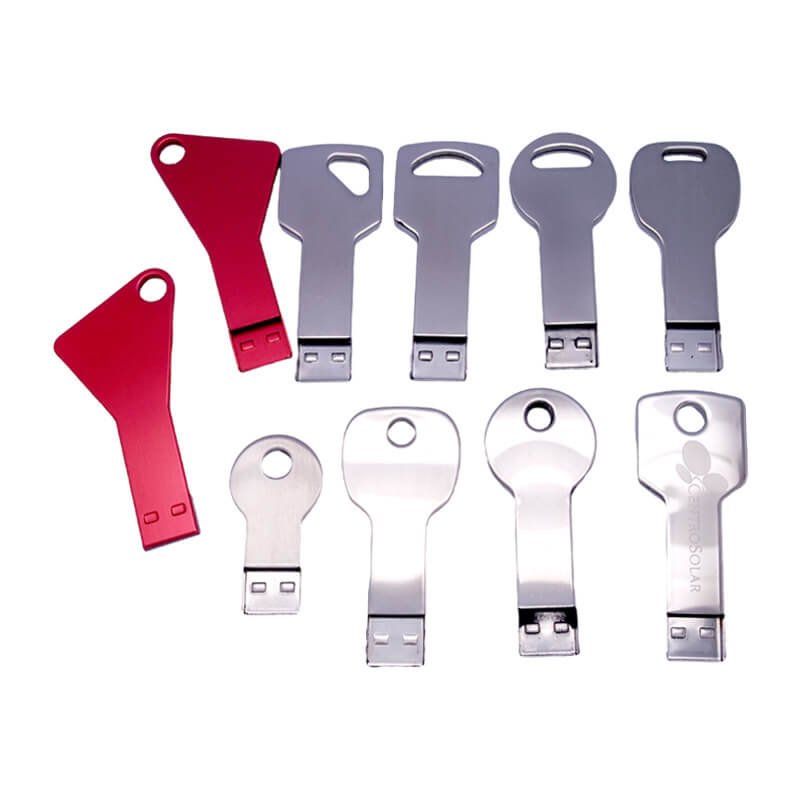
Consider a law firm closing a major deal. At the signing table, each client receives a metal drive loaded with their signed documents. The weight, the cool finish, the engraved logo — together they say the relationship outlasts the transaction. A flimsy plastic shell would undercut that message in a second. If your drive stands for an important relationship, metal is usually worth it.
How the Logo Actually Gets Applied — And Why It Matters
The presence of your logo on the casing is more important than you think. The approach will make the difference between your brand still looking fresh in another three years or like a ghost.
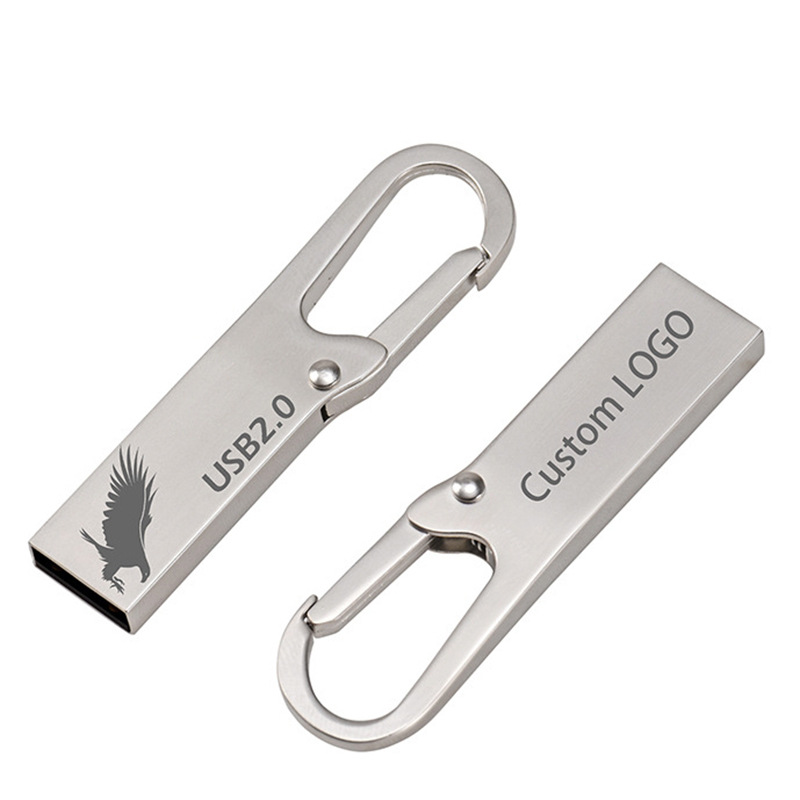
Laser engraving
Laser engraving is the standard when it comes to metal. It marks your surface with a burn and won’t rub off and will last for years of use. For color, silk-screen or full-color printing adds your brand shades, and zinc-alloy drives can take an epoxy resin coating for a raised, glossy look.
On plastic, screen printing and color printing take over. Screen printing handles a simple, solid mark; color printing manages more detail and gradients. Both are clean when they are sent, but the printed logo lies on top and can fade over the years due to pocket abrasion.
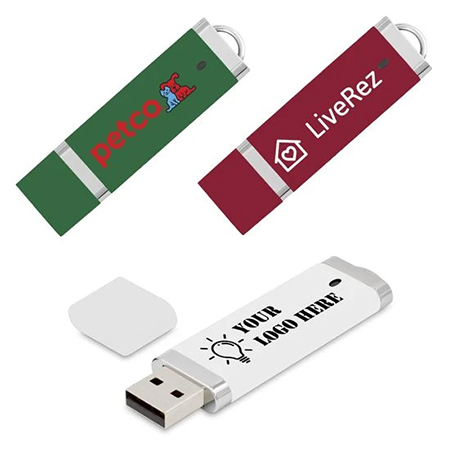
color printing
That’s the deciding factor for some buyers. A company with a strict single-color brand mark wanted a daily carry for years and they chose laser engraving on metal, they didn’t want the brand mark to fade and in year four it had to look the same. If your logo flash drives are going to spend years in a pocket, metal engraving will give your logo a safe haven; if you intend to use them just once, printing on plastic is really good enough.
Where Durability Actually Matters
Your drive isn’t going to be used the way you think and that is why durability should be considered. A metal body will be a better conductor of heat, and will withstand the drops, crushing and wear and tear of a key chain that would break a plastic body. It’s real value — but it’s up to your recipient to put it to use.
Most swag is unused. An attendee at a conference inserts the drive and copies a file and leaves it in a drawer. That drive will never be asked to bear any sort of pressure, and it won’t matter if you pay a bit more for a stronger casing there.
It’s a different story for long-life drives. Imagine every time an IT team hands out a drive to an employee, or an executive gift, drives are moved from one location to another, plugged in each day, or placed on hard surfaces and continue to function for years. There, the durability of metal isn’t merely a line in a spec sheet, it’s the reason the drive continues to function after years of heavy use, when plastic would begin to crack. So ask yourself the honest question: one time casual use leans plastic, long term daily use leans metal.
A Quick Way to Decide
All custom USB orders boil down to four questions. Put yours through them.
Firstly, what number drives do you require? The volume math works in your favor when you’re going for the big run to a wide audience, leading you towards plastic. Targeted small batches offer the opportunity to enter metal.
Second, what is the budget for each unit that you can afford? Plastic has a cheaper shell cost, which is advantageous when the per piece budget is tight. If they have money to burn, metal is an option.
Third, to whom is your drive? Plastic is for a mass audience of students, conference attendees, event goers. Metal’s weight and finish come into play where a VIP audience (clients, partners, executives) are concerned.
Fourth, for how long does the drive have to last? For one event, all that is required is a plastic shell that will last for the day. Metal is worth the investment when you’re looking at something that will last for many years or something that you can give as a keepsake present.
Place your 4 answers on top of one another. If it is high volume and low budget with a wide target audience and a short shelf life, it’s a plastic situation. Metal is indicated by smaller runs, premium positioning, important recipients, and years of use. Once your answers align, the majority of orders favor one side over the other.
Ready to Pick Your Material?
Before you request a quote, have these details ready:
- Material you are leaning toward (metal or plastic)
- Quantity, or your bulk order size
- Standard model or custom shape
- Capacity (for example, 16GB, 64GB, or 128GB)
- Logo file and branding method (engraving or printing)
- Packaging preference
- Deadline and delivery country
Tell YOUSAN what you are making and get a factory-direct quote for either material, with exact mold cost and MOQ confirmed on inquiry. Contact us to start your quote.
FAQ
Does casing material affect read or write speed?
No. Speed comes from the memory chip and controller, which are the same whether you order metal or plastic. The casing changes the weight, durability, and cost — not how fast your files transfer.casing doesn’t change the speed at which your files transfer, only its weight and durability, or its cost.
What is the minimum order for metal vs plastic?
Standard metal and plastic models start at a low minimum, around 100 pieces. Custom molded shapes start higher — from about 1,000 pieces, with a one-time mold fee from $50 — and an intricate metal shape can require more. Confirm exact figures on inquiry.
Which material holds a logo longer?
Metal. Laser engraving carves the mark into the surface, so it will not rub off, while a printed logo on plastic looks sharp at first but can fade over years of handling. For a drive someone uses daily, engraving on metal keeps your brand clear.
Is metal worth the extra cost for a one-time event giveaway?
Usually not. For a drive someone plugs in once and forgets, plastic delivers the same data and the same branding at a fraction of the shell cost. Save metal for the gifts that need to last.
Can I order a custom shape in both metal and plastic?
Yes, though they get there differently. Plastic molds into your shape at lower tooling cost, while metal handles complex shapes through die-casting, especially in zinc alloy. Just note that an intricate metal shape raises both your mold cost and, sometimes, your minimum order.
 English
  Español de México
  Italiano
  Deutsch (Österreich)
  Русский
  Français
  Türkçe
  Bahasa Melayu